+91 9312966129
 sparc.enquiry01@gmail.com


Google Ads Tutorial for Beginners: How Google Ads Works
Learn Google Ads step by step in this beginner tutorial. Understand PPC, campaign types, keywords, and quality score in simple language.
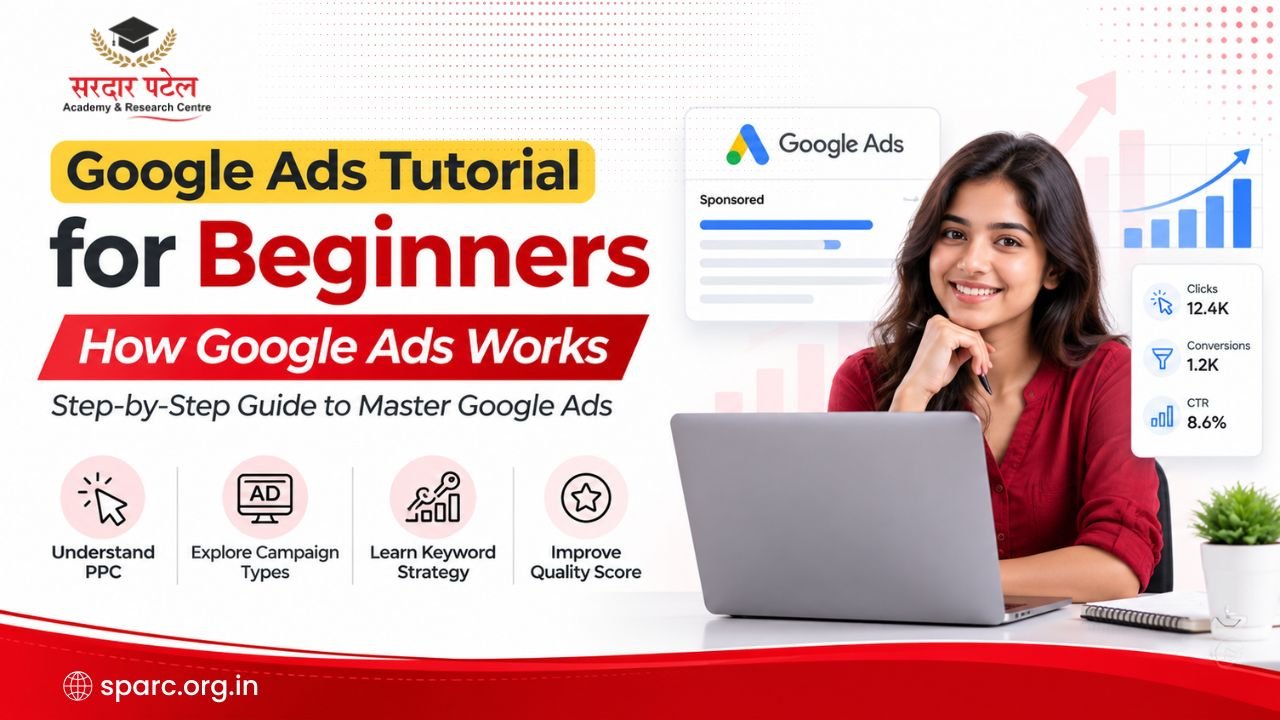
Table of Contents
- What is Google Ads?
- How Google Ads Works
- Step 1: Create a Google Ads Account
- Step 2: Choose a Campaign Goal
- Step 3: Select a Campaign Type
- Step 4: Keyword Research
- Step 5: Write the Ads
- Step 6: Budget and Bidding
- Step 7: Launch the Campaign
- Types of Google Ads Campaigns
- Understanding Google Ads Keywords
- What is Quality Score?
- How Google Ads Auction Works
- Google Ads Bidding Strategies
- How Much Does Google Ads Cost?
- Google Ads Tutorial for Beginners: Create Your First Campaign
- How to Measure Google Ads Success
- Common Google Ads Mistakes Beginners Make
- Best Practices for Better Google Ads Performance
- Want to Learn Google Ads Through Practical Training?
- Conclusion
If you have ever searched for something on Google and noticed a few results marked "Sponsored" above the regular listings, you have already seen Google Ads in action. This google ads tutorial for beginners explains exactly how those ads appear, why some businesses show up before others, and how you can plan a campaign of your own, even if you have never opened an ads dashboard before.
Google Ads is Google's advertising platform. It lets businesses pay to appear in search results, on partner websites, and on YouTube. For students exploring digital marketing, business owners looking for new customers, and marketing professionals moving into PPC, learning this platform is one of the most practical skills you can build right now.
Unlike SEO, which can take months to show movement, Google Ads can bring visitors to a website within hours of launch. That speed is one reason so many businesses depend on paid search for steady enquiries.
In this guide, you will learn what Google Ads is, how the auction works, the main campaign types, keyword match types, quality score, bidding strategies, budgeting, and the mistakes beginners make most often. By the end, you will be ready to plan your first campaign with a clear head.
What is Google Ads?
| Google Ads is a pay per click (PPC) advertising system where businesses bid on keywords so their ads appear in Google Search, on partner websites, and on YouTube, paying only when someone clicks or takes a specific action. |
Google Ads works on a simple principle. A business chooses keywords related to what it sells, writes an ad, and sets a budget. When someone searches for those keywords, Google runs an auction among all advertisers targeting that term, and the winning ads appear as sponsored ads above or beside the organic search results.
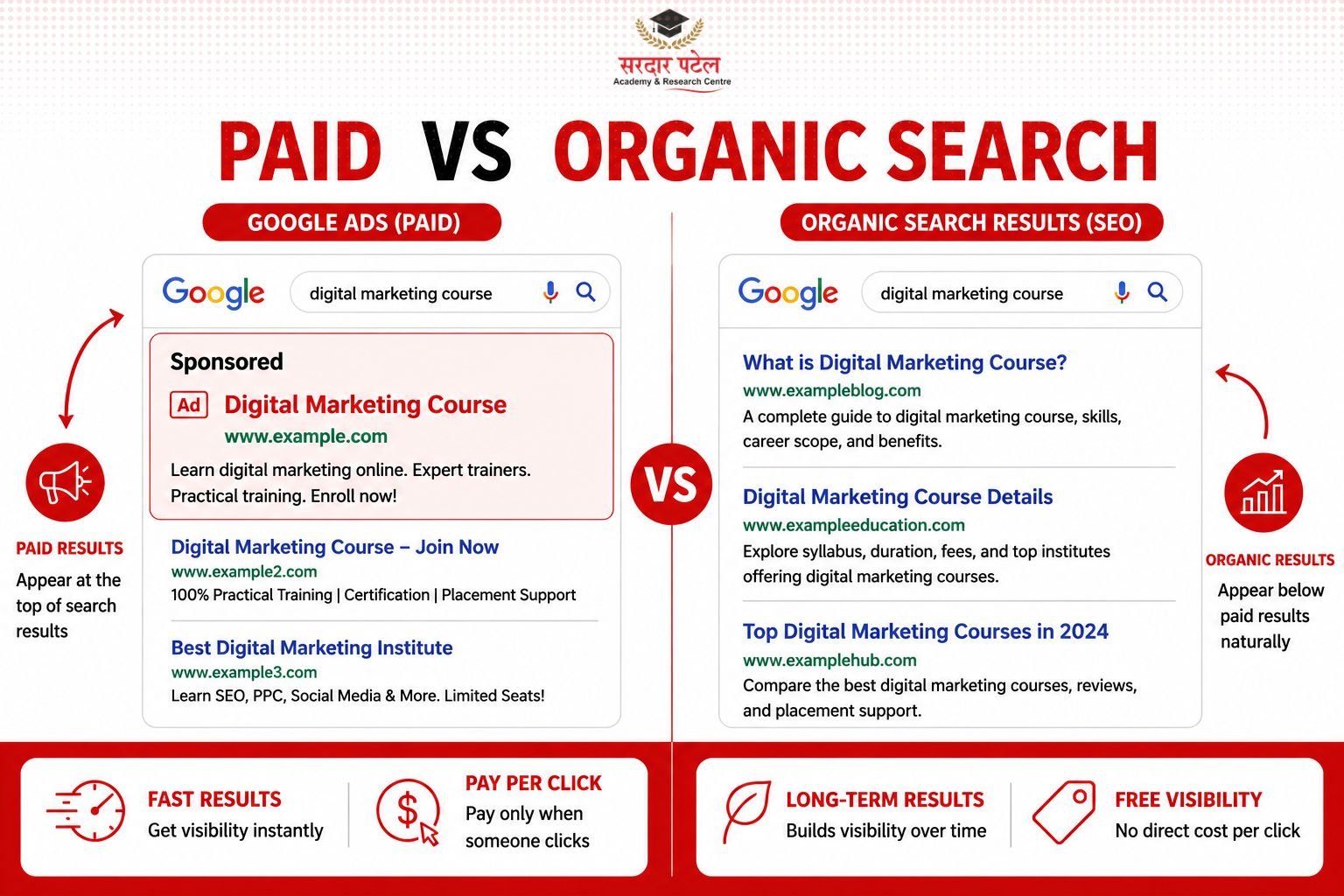
Organic results are the free listings that rank because of SEO, content quality, and backlinks. Paid results are the sponsored ads that appear because a business is paying for that placement. Both can appear on the same search page, and a strong digital strategy usually uses both together.
| Aspect |
Organic Search (SEO) |
Google Ads (Paid Search) |
| Cost |
No direct cost per click |
Pay per click or per action |
| Speed of results |
Weeks to months |
Weeks to monthsCan start within hours |
| Placement |
Below sponsored ads |
Above organic results, labelled Sponsored |
| Longevity |
Long-term, compounding value |
Traffic stops when budget stops |
| Control |
Limited direct control over ranking |
Full control over budget, targeting, and timing |
If you want to build these skills through hands-on projects, explore this guide on practical SEO and Google Ads training in Delhi.
How Google Ads Works
| Google Ads works through seven practical steps: creating an account, choosing a campaign goal, selecting a campaign type, researching keywords, writing ads, setting a budget and bid, and finally launching the campaign for Google to start showing it in relevant searches. |
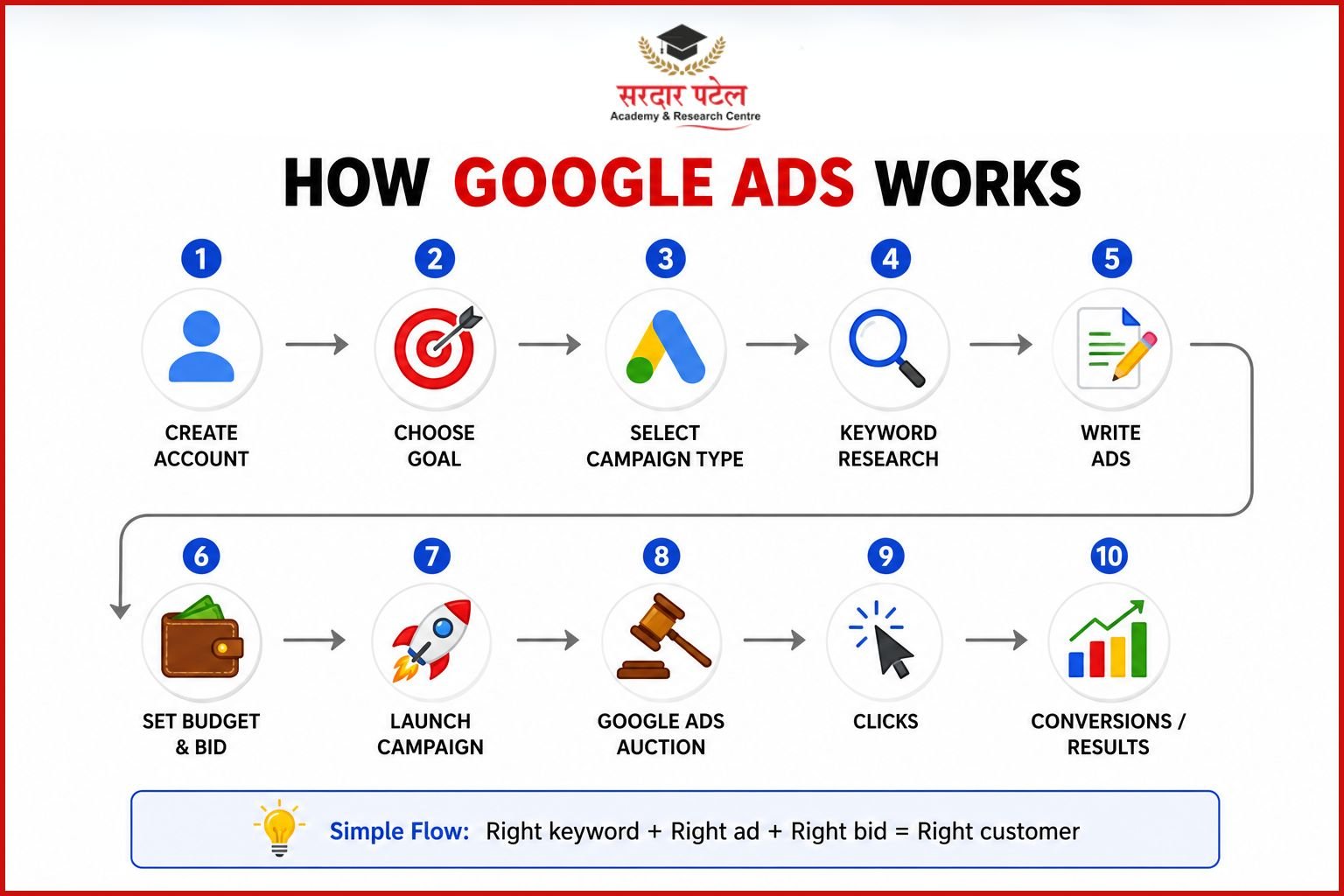
Step 1: Create a Google Ads Account
Every campaign starts with a free Google Ads account linked to a Google email address. During setup, Google usually suggests a Smart Campaign first. Beginners who want more control should switch to Expert Mode, since it unlocks proper keyword targeting and reporting.
Step 2: Choose a Campaign Goal
Google Ads asks for a goal before building a campaign, such as sales, leads, website traffic, or brand awareness. Choosing the right goal matters because it shapes which settings and bidding options Google recommends later in the setup.
Step 3: Select a Campaign Type
Common types include Search, Display, Shopping, Video, App, and Performance Max. A local service business chasing enquiries usually starts with Search, since it targets people who are already searching for that exact service.
Step 4: Keyword Research
Keywords connect a search query to an ad. Tools such as Google Keyword Planner show search volume and competition, helping a beginner pick terms that real customers are typing, rather than guessing.
Step 5: Write the Ads
A strong ad includes a clear headline, a specific benefit, and a call to action such as "Book a free consultation" or "Get a quote today." Ad relevance to the keyword directly affects Quality Score, which is explained later in this guide.
Step 6: Budget and Bidding
A daily budget sets the spending limit, while the bidding strategy decides how Google spends that budget to reach the campaign goal. Beginners often start with Maximize Clicks before moving to conversion-based bidding once they have enough data.
Step 7: Launch the Campaign
Once the account, keywords, ads, and budget are ready, the campaign goes live after a short review by Google. Most campaigns start showing impressions within a few hours of approval.
Types of Google Ads Campaigns
| Google Ads offers six main campaign types, Search, Display, Shopping, Video, App, and Performance Max, each suited to a different goal, from direct search intent to visual brand awareness across websites and YouTube. |
| Campaign Type |
Best For |
Where Ads Appear |
| Search |
Direct enquiries, high intent leads |
Google search results |
| Display |
Brand awareness, remarketing |
Partner websites and apps |
| Shopping |
E-commerce product sales |
Google Shopping and search results |
| Video |
Brand storytelling, reach |
YouTube |
| App |
App installs and engagement |
Search, Display, YouTube, Play Store |
| Performance Max |
Automated, multi-channel goals |
All Google networks combined |
Understanding Google Ads Keywords
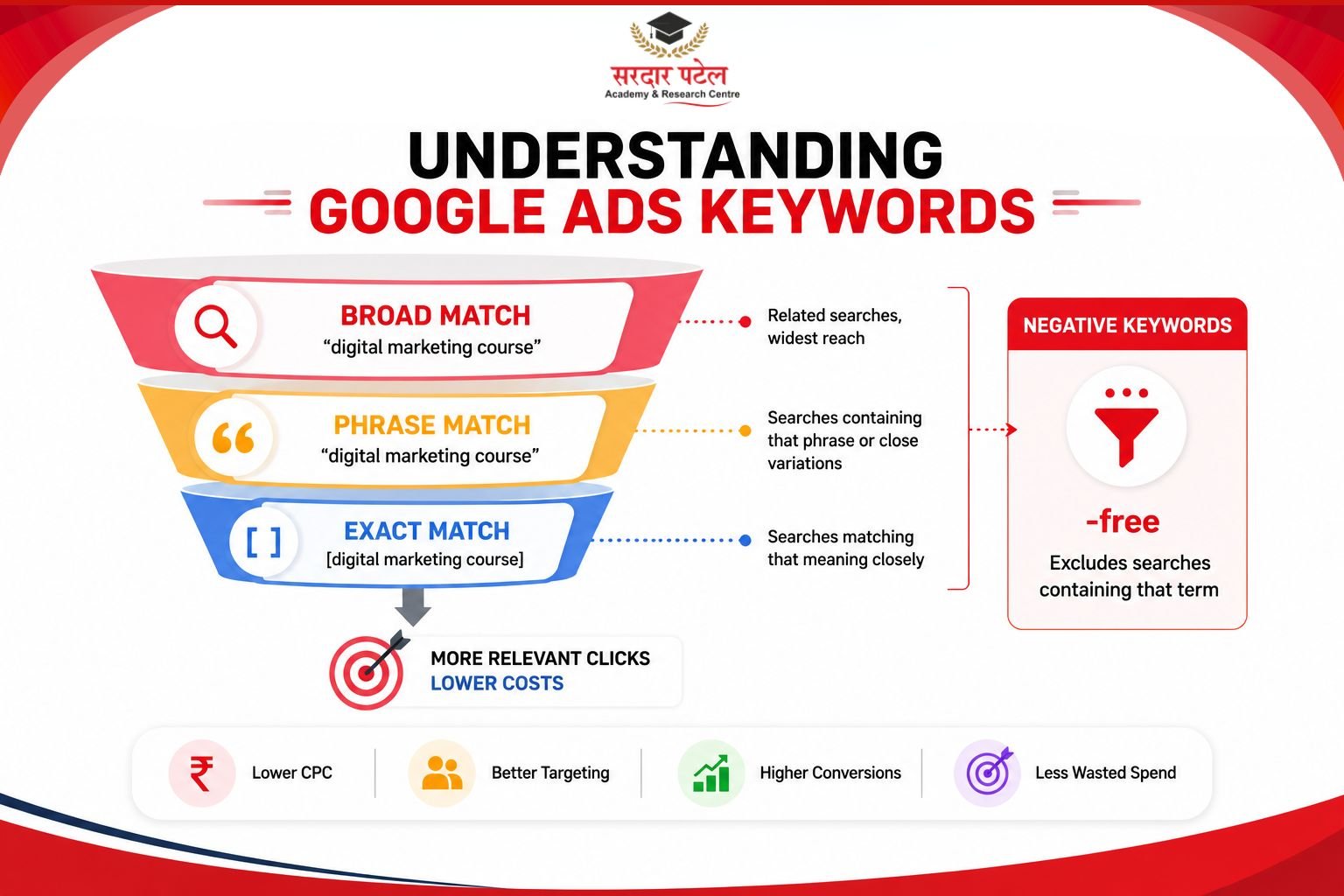
| Google Ads uses keyword match types, broad match, phrase match, and exact match, along with negative keywords, to control exactly which searches trigger an ad and which searches should be excluded to avoid wasted spend. |
Short tail keywords are broad terms like "digital marketing course," while long tail keywords are more specific, such as "digital marketing course fees in Delhi." Long tail keywords usually cost less per click and attract more ready-to-act searchers.
| Match Type |
Example Keyword |
Triggers Ad For |
| Broad Match |
digital marketing course |
Related searches, widest reach |
| Phrase Match |
"digital marketing course" |
Searches containing that phrase or close variations |
| Exact Match |
[digital marketing course] |
Searches matching that meaning closely |
| Negative Keyword |
-free |
Excludes searches containing that term |
Negative keywords prevent an ad from showing for irrelevant searches. A paid course provider, for example, would add "free" as a negative keyword to avoid clicks from people who never intend to pay.
Before choosing match types, it's important to understand how to find the right keywords. Read our keyword research tutorial for beginners to learn how to identify search terms with the right intent, search volume, and competition.
What is Quality Score?
| Quality Score is Google's rating, from 1 to 10, of how relevant a keyword, ad, and landing page are to a searcher. A higher Quality Score can lower cost per click and improve ad position. |
Quality Score is built from three main signals: expected click through rate (CTR), ad relevance, and landing page experience. A landing page that loads quickly and matches the ad's promise tends to score better than a generic homepage.
A high Quality Score benefits an advertiser in two ways. It can reduce the cost per click for the same ad position, and it can improve where the ad appears in the auction, since Google rewards relevance rather than budget alone.
How Google Ads Auction Works
| Every time someone searches, Google runs an instant auction among advertisers targeting that keyword, combining each advertiser's bid with its Quality Score to calculate Ad Rank, and the highest Ad Rank wins the top position. |
The process happens in a fraction of a second. A search query enters the system, eligible advertisers are identified, and each one's bid is combined with Quality Score to produce an Ad Rank. Google then orders the ads by Ad Rank, not by bid amount alone.
This is why a smaller business with a highly relevant ad and a strong landing page can sometimes outrank a larger competitor who simply bids more. Relevance genuinely competes with budget in this system.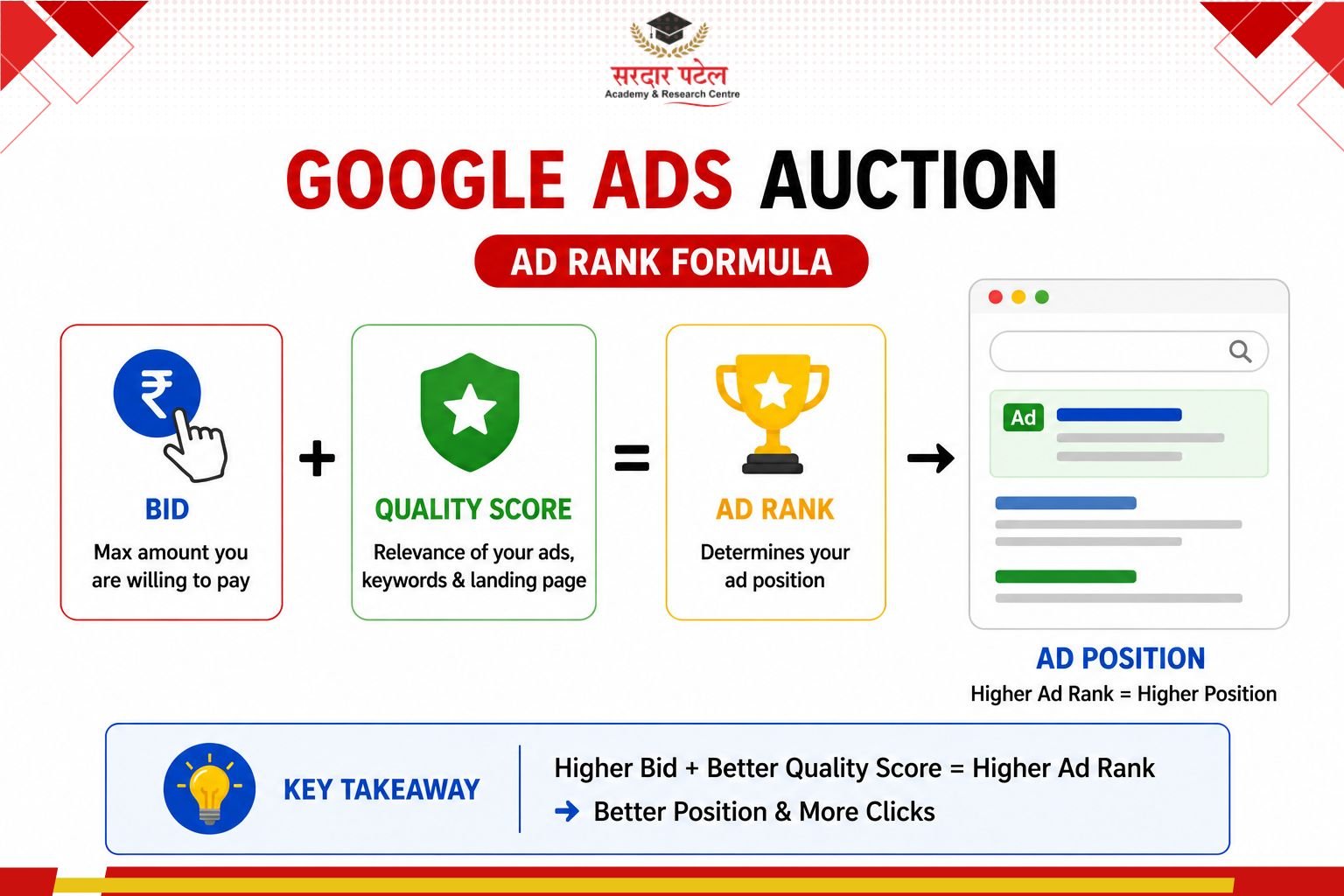
Google Ads Bidding Strategies
| Google Ads offers several bidding strategies, including Manual CPC, Maximize Clicks, Maximize Conversions, Target CPA, and Target ROAS, each suited to a different stage of campaign maturity and data availability. |
| Strategy |
How It Works |
Best For |
| Manual CPC |
Advertiser sets bid for each keyword |
Full control, early testing |
| Maximize Clicks |
Google automates bids for most clicks |
Building traffic and data |
| Maximize Conversions |
Google automates bids for most conversions |
Campaigns with conversion tracking set up |
| Target CPA |
Bids to hit a set cost per acquisition |
Lead generation with steady data |
| Target ROAS |
Bids to hit a set return on ad spend |
E-commerce with revenue tracking |
While Google Ads uses auctions and bidding to deliver immediate visibility, SEO follows a different approach to earning traffic. Read our guide on SEO vs PPC: which is better for your business? to understand when each strategy works best.
How Much Does Google Ads Cost?
| There is no fixed price for Google Ads. Cost per click depends on industry, competition, keyword demand, and Quality Score, so two businesses in different sectors can pay very different amounts for a similar volume of clicks. According to Google Ads Help and WordStream's industry benchmark reports, average CPC varies significantly based on competition, industry, and Quality Score. |
Average cost per click varies widely across industries, and it changes with the season, the competitiveness of the keyword, and the account's Quality Score. A legal services keyword typically costs more than a local bakery keyword, simply because more advertisers compete for it.
Budget planning matters more than chasing a single "ideal" number. A beginner should start with a budget that can sustain at least a few weeks of learning and testing, since early data is what makes later optimization possible.
Google Ads Tutorial for Beginners: Create Your First Campaign
This section brings the earlier steps together into one practical checklist for a first campaign. Following it in order reduces the chance of wasted budget in the first few days.
- Define a single, clear campaign goal, such as calls, form fills, or purchases.
- Research keywords using Google Keyword Planner and organize them into tight groups.
- Define the target audience by location, language, and device where relevant.
- Write two to three ad variations per ad group to allow testing.
- Add ad extensions such as sitelinks, callouts, and call extensions.
- Set a realistic daily budget based on estimated cost per click.
- Prepare a landing page that matches the ad's message and loads quickly.
- Install conversion tracking before launch, not after.
How to Measure Google Ads Success
| Google Ads success is measured using Google Analytics 4 (GA4) and Google Ads reporting through metrics such as CTR, conversion rate, CPA, ROAS, CPC, and impressions. |
| Metric |
What It Shows |
Why It Matters |
| CTR |
Percentage of people who click after seeing the ad |
How often the ad was shown |
| Conversion Rate |
Percentage of clicks that become leads or sales |
Shows real business impact |
| CPA |
Cost per acquisition or lead |
Shows efficiency of spend |
| ROAS |
Return on ad spend |
Shows revenue generated per rupee spent |
| CPC |
Average cost per click |
Shows how competitive the keyword is |
| Impressions |
How often the ad was shown |
Shows reach and visibility |
Campaign performance always varies depending on industry, competition, budget, Quality Score, and how well the landing page converts. No agency or tool can promise a fixed result before a campaign has real data behind it.
Common Google Ads Mistakes Beginners Make
- Using overly broad keywords without proper match type control.
- Ignoring negative keywords, which lets irrelevant clicks drain the budget.
- Sending traffic to a slow or unrelated landing page.
- Choosing the wrong keyword match type for the campaign goal.
- Skipping conversion tracking, which makes optimization impossible.
- Expecting strong results from a very low daily budget.
- Never testing more than one ad per ad group.
Best Practices for Better Google Ads Performance
- Group keywords tightly so each ad group stays highly relevant.
- Write an ad copy that matches the exact intent behind the keyword.
- Review the search terms report weekly to add new negative keywords.
- Match the landing page headline to the ad headline.
- Test bidding strategies gradually as conversion data builds up.
- Use ad extensions to improve both CTR and Quality Score.
- Set realistic expectations, since results depend on competition and optimization, not guarantees.
Want to Learn Google Ads Through Practical Training?
If self-learning feels overwhelming, joining a structured Google Ads training program can help you practise on live campaigns, understand bidding strategies, and avoid common beginner mistakes. When comparing institutes, look for practical training, live projects, mentorship, and placement support rather than only classroom lectures.
At Sardar Patel Academy & Research Centre (SPARC), students enrolled in the Digital Marketing Course at GTB Nagar get hands-on exposure to Google Ads campaigns, helping them apply concepts in real-world scenarios rather than learning only the theory.
Delhi has become one of India's most active hubs for digital marketing careers, and Google Ads training programs in Delhi are becoming popular among students and professionals who want practical PPC experience.
Students, career switchers, freelancers, and small business owners all benefit from structured training, since Google Ads combines strategy, data reading, and creative writing in one skill set.
- Practical, campaign-based learning instead of only slides and theory.
- Guidance on real ad accounts and live optimization decisions.
- Exposure to reporting, budgeting, and client communication skills.
- A path toward PPC executive, media buyer, or performance marketing roles.
Anyone searching for a genuine paid ads beginner guide alongside classroom support will find that a structured training program with hands-on projects helps learners build confidence much faster than self-study.
Conclusion
Google Ads rewards businesses and learners who understand the fundamentals rather than those who simply spend the most. This google ads tutorial for beginners covered the full path, from setting up an account to understanding the auction, choosing campaign types, controlling keywords, and measuring real performance.
Results always depend on competition, budget, Quality Score, and ongoing optimization, so treat early campaigns as a learning phase rather than an instant guarantee. With consistent testing and honest reporting, Google Ads can become one of the most reliable growth channels for any business or career.
Ready to build real Google Ads skills?
Visit Sardar Patel Academy & Research Centre (SPARC), GTB Nagar, Delhi, offers hands-on digital marketing and Google Ads training designed for students, freelancers, and working professionals.
FAQs
Google Ads is Google's pay per click advertising platform. Businesses bid on keywords, and when someone searches for those terms, Google runs an auction combining bid amount and Quality Score. The winning ads appear as sponsored results, and the advertiser pays only when someone clicks or completes a set action.
Yes, Google Ads is beginner friendly once the basics are understood. The interface includes guided setup, and Google's own Skillshop resources explain each feature. Starting with a small budget and one clear campaign goal helps beginners learn without overspending in the first few weeks.
There is no single correct starting budget, since cost per click varies by industry and competition. Most beginners start with a modest daily amount that allows a few weeks of data collection, then adjust the budget once early performance trends become clear.
Quality Score is a rating from 1 to 10 that reflects how relevant a keyword, its ad, and its landing page are to a search. It is based on expected CTR, ad relevance, and landing page experience, and a higher score can reduce cost per click.
Search campaigns are usually the best starting point for beginners, since they target people who are already searching for a specific product or service. This high-intent audience makes it easier to see clear, measurable results early in the learning process.
Google Ads delivers paid, immediate visibility through an auction system, while SEO earns free, organic visibility over time through content and backlinks. Google Ads suits fast results, while SEO builds long-term, compounding traffic. Many strong strategies use both together.
Yes, in some cases. Call-only campaigns or campaigns linked to a Google Business Profile can work without a full website. However, having a dedicated landing page generally improves Quality Score and conversion rate compared to relying on a phone-only setup.
Impressions and clicks can start within hours of launch, but meaningful optimization usually needs a few weeks of data. Conversion rate, CPA, and Quality Score all improve as Google's system learns from real user behavior on the account.