+91 9312966129
 sparc.enquiry01@gmail.com



How AI Agents Can Automate Digital Marketing Tasks
Learn how AI marketing automation and AI agents handle reports, leads, ads and chats, with a step-by-step tutorial for marketers and students in India.
Table of Contents
- What AI Marketing Automation Really Means
- Workflow or agent: the one difference to remember
- Why This Matters Now
- Marketing Tasks AI Agents Can Take Over
- Step-by-Step: Build Your First AI Marketing Automation Workflow
- Step 1: Choose one narrow task
- Step 2: Write down inputs and outputs
- Step 3: Connect the tools
- Step 4: Write clear instructions
- Step 5: Add guardrails and human approval
- Step 6: Test with real, messy data
- Step 7: Measure, then expand
- Practical Use Cases by Channel
- Paid ads
- Content and design
- WhatsApp enquiries: a Delhi example
- Creators and campaigns
- Choosing the Right Tools for AI Marketing Automation
- Common Mistakes to Avoid
- Skills and Career Scope
- Conclusion
Most marketers do not lose their week to strategy. They lose it to the small, repeated jobs around it: pulling numbers into a report, resizing the same banner five ways, sorting leads into “warm” and “cold”, answering the same WhatsApp question for the fortieth time. None of this is difficult, but it's all time-consuming.
This is the gap AI marketing automation is meant to close. In this hands-on tutorial, you will build a first workflow without writing a line of code, copy a ready-to-use prompt, test it on messy data and decide where a human must stay in charge.
What AI Marketing Automation Really Means
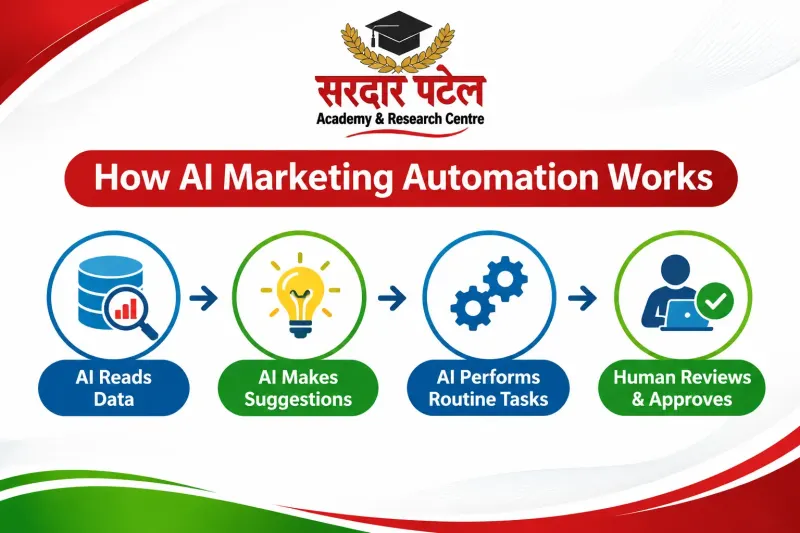
AI marketing automation uses AI to read, decide, and act on routine marketing work, such as replying to leads, drafting content, or summarising campaign data, with people approving the important steps.
Older marketing automation runs fixed rules: “If someone downloads the ebook, send a follow-up email three days later.” The tool never decides anything. AI marketing automation adds judgment on top: the software reads a message, works out what the person wants and writes a suitable response.
Workflow or agent: the one difference to remember
Anthropic’s guide to building effective agents draws a simple line. A workflow follows a path you defined in advance. An agent decides its own steps and which tools to use. A chatbot is just the conversation layer on top of either.
For marketing tasks, a tightly controlled workflow with one or two decision points is often enough, and it is far easier to test. That is what we build below.
Why This Matters Now
The case is not only about saving hours. In its research on generative AI’s economic potential, McKinsey found that about 75 per cent of the technology’s potential value sits in four areas, one of them marketing and sales. The same report estimated that generative AI could raise marketing productivity by an amount worth roughly 5 to 15 per cent of total marketing spend.
Treat these as estimates of potential, not guaranteed results for your team. The practical point is simpler: when routine work shrinks, you get more time for positioning, creative ideas and customer conversations.
Marketing Tasks AI Agents Can Take Over
Automate work that is repetitive, rule-light and easy to check. Keep anything that shapes your brand voice or involves money under human review. If you are still deciding where to draw the line, this guide on what marketers should automate in a content strategy will help.
| Task |
What the agent does |
Human checkpoint |
| Weekly reporting |
Pulls figures, writes a plain-language summary |
Check numbers against the dashboard |
| Lead sorting |
Scores and tags new enquiries by interest |
Review borderline leads |
| Content repurposing |
Turns a blog into captions, email and a script |
Edit tone and facts |
| Customer queries |
Answers common questions on chat |
Escalate complaints and refunds |
| Ad copy variants |
Drafts headline and description options |
Approve before publishing |
| Keyword research |
Clusters search terms by intent |
Validate with real search data |
| Competitor tracking |
Summarises public changes on rival pages |
Decide what to act on |
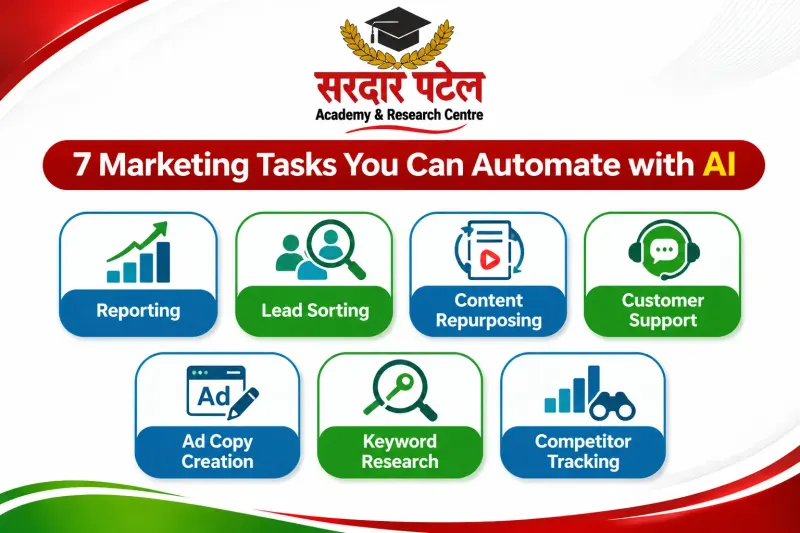
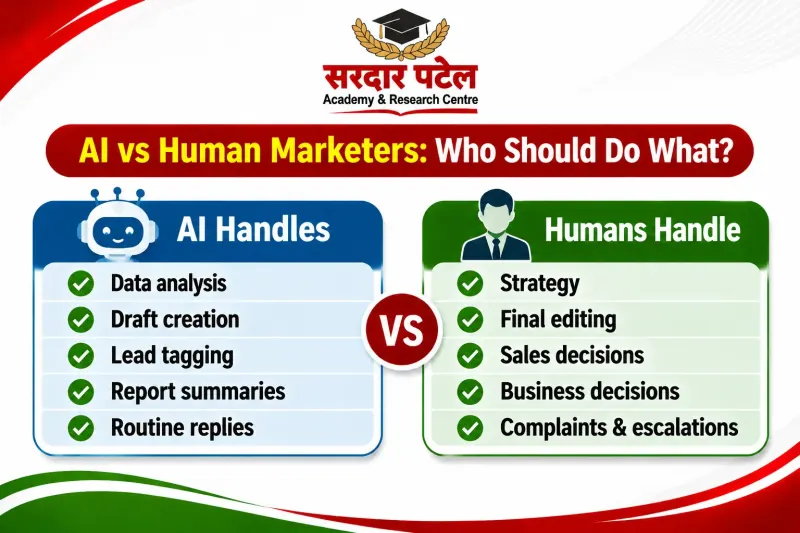
The agent does the first 80 per cent of the grind, and a person owns the final decision. That split is what makes the setup safe enough to trust.
Step-by-Step: Build Your First AI Marketing Automation Workflow
You do not need a development team. A no-code platform such as Zapier, Make or n8n can connect an AI model to your apps. Our example: turn every new lead into a personalised first reply. If you want the theory of agents first, our guide to AI agents in digital marketing covers it; here we stay hands-on.
Step 1: Choose one narrow task
Pick a job you repeat weekly and can describe in two sentences. “Reply to new enquiry forms within ten minutes” is a good one. “Run our social media” is too broad.
Step 2: Write down inputs and outputs
List what goes in (form fields, course interest, language) and what must come out (a short reply, a tag, a task for the sales team). If you cannot describe the output, the agent cannot produce it.
Step 3: Connect the tools
Decide which apps the workflow touches: your form, a spreadsheet or CRM, your email or WhatsApp account. Give it the minimum access it needs. Read-only access is enough for most reporting jobs.
Step 4: Write clear instructions
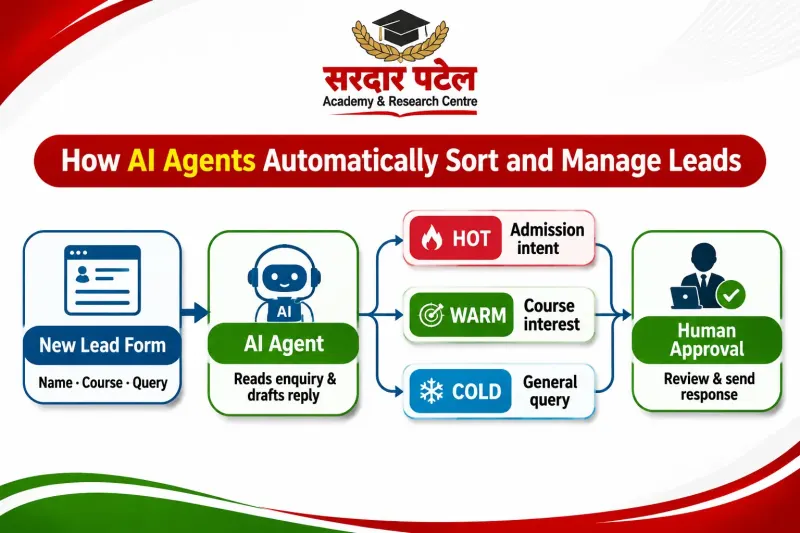
Treat the prompt like a briefing for a new intern. State the audience, tone, length, what to avoid and what to do when unsure. Here is a starter you can copy and adapt:
You are a friendly assistant for a computer training institute in Delhi.
Read the enquiry below and write a reply of under 80 words that:
1. names the course the person asked about,
2. answers one question,
3. invites them to a free demo class.
Reply in the same language the person used (English or Hinglish).
Do not quote fees or promise placements.
If the person is angry or asks for a refund, write "ESCALATE" instead.
Also add one tag on a new line: HOT (asked about admission or demo),
WARM (asked about course details) or COLD (general query).
Step 5: Add guardrails and human approval
Start in “draft only” mode: the agent prepares a reply and a person clicks send. Then define a quality bar covering facts, claims, tone, originality and brand fit. This AI content quality checklist for digital marketers is a handy reference.
Step 6: Test with real, messy data
Run twenty past enquiries through the flow, including badly spelt, Hinglish and angry ones. Score each reply with a sheet like this:
| Check |
Pass if |
|---|---|
| Facts |
Course name, timings and offers match what you actually have |
| Promises |
No fees, discounts or placement guarantees invented |
| Tone |
Polite and not pushy |
| Language |
Matches the language the person wrote in |
| Escalation |
Angry or refund messages produced “ESCALATE” |
Fix the prompt and re-run until at least 18 of 20 replies pass. Change one line at a time so you know what helped.
Step 7: Measure, then expand
Track response time, reply rate, and how many leads reach a call. If you need help reading these numbers, a Google Analytics beginner tutorial is a good place to start. Only after two stable weeks should you let the agent send without approval, and only for low-risk cases.
Illustrative example, not a case study: a coaching centre receives 40 form enquiries a week. The agent drafts replies and tags each lead hot or cold. A counsellor approves the drafts in a few minutes each morning and calls the hot leads first. The time saved moves from typing to conversations.
Practical Use Cases by Channel
Paid ads
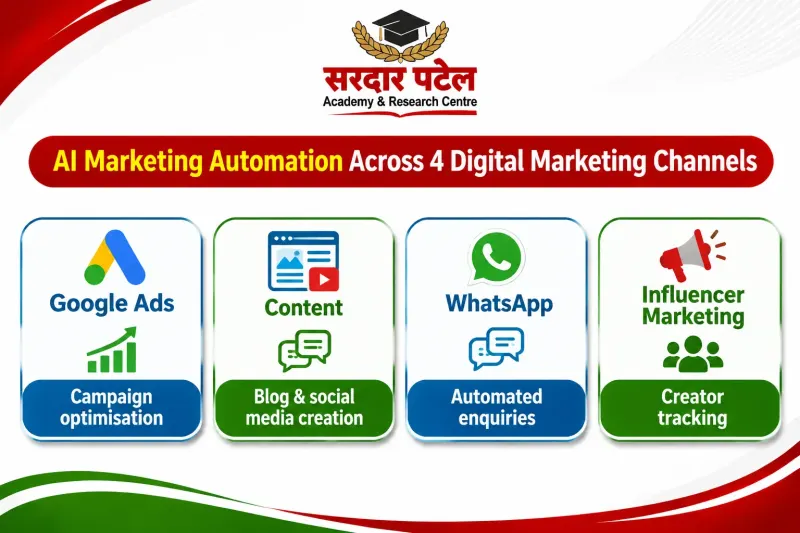
Google’s Performance Max campaigns already use Google AI to adjust bids and placements across channels, based on the goals and assets you supply. An agent can sit around that system: drafting ad variants, flagging wasted spend in weekly exports and preparing your review notes.
Content and design
A repeatable pipeline: the agent drafts three angles from one brief, you pick one, and a design tool produces visuals. The pairing is explained well in this guide to using Canva with ChatGPT and other AI tools. Keep a human editor on every piece. The software can speed up drafting, but it will not know your customer’s last complaint or your founder’s opinion.
WhatsApp enquiries: a Delhi example
Chat is where AI marketing automation feels most natural, because agents can answer product questions, collect details and hand over to a person with a clean summary. For a closer look, read about WhatsApp chatbots for digital marketing.
Illustrative example, not a case study: a computer institute near GTB Nagar gets a WhatsApp message at 9 pm from a BA student in Laxmi Nagar: “Digital marketing course ke baare mein bata do, demo kab hota hai?” The workflow does four things. It replies in Hinglish with the course name and the demo class invitation. It asks for the student’s name and preferred demo slot. It tags the lead WARM. It posts a two-line summary for the counsellor, who calls the next morning. The workflow never quotes fees; that stays with the counsellor.
One platform rule matters here. According to Meta’s WhatsApp Business Platform documentation, you can reply freely only within the customer service window after a customer’s message. Outside that window, you can send only pre-approved template messages. Build outreach around that, not around hopes of unrestricted bulk messaging.
Creators and campaigns
In influencer work, agents can shortlist creators from a brief, track deliverables and compile post-campaign reports. They should not replace the relationship with the creator.
Choosing the Right Tools for AI Marketing Automation
Platforms change every few months, so judge them by what they let you control. Ask five questions:
- Does it connect to the apps you already use? Forms, a spreadsheet or CRM, email and WhatsApp matter more than extras.
- Does it offer an approval step? You want “draft, then send” while you are learning.
- Can you see what it did? Activity logs trace a wrong reply back to its cause.
- How does it handle your data? Check where customer details are stored and who can read them.
- What does it cost at your volume? Many tools charge per task or message, so a pilot with twenty leads can look cheap and a full month can surprise you.
Start with one platform and one workflow. A small, well-tested setup beats a sprawling one nobody fully understands. Ad platforms also keep changing how much they automate, so keep an eye on the latest Google Ads automation trends.
Common Mistakes to Avoid
- Automating a broken process. If lead follow-up is unclear today, an agent only makes the confusion faster.
- Giving too much access too early. Start read-only and expand slowly.
- Skipping the approval stage. One wrongly worded offer sent to hundreds of people costs more than the hours you saved.
- Ignoring consent and privacy. Messaging people who never opted in damages trust. In India, the Digital Personal Data Protection Act and its rules notified in November 2025 set requirements for notice and consent, so check your own obligations with a qualified adviser.
- Trusting output without checking facts. Agents can state wrong details confidently.
- Measuring only speed. Faster replies mean little if conversions fall.
- Letting the brand voice drift. Review a sample every week and update the instructions.
Skills and Career Scope
Employers hiring for AI marketing automation roles want marketers who can brief an agent, test it and judge its output. That differs from knowing a tool’s buttons. Core abilities include writing precise instructions, reading analytics, understanding ad platforms and messaging rules, connecting apps and data, and editorial judgement. If you are a student, build two or three small portfolio projects, such as the lead-reply workflow above.
| Want guided, hands-on practice? The Digital Marketing Course with AI at SPARC covers SEO, paid ads, social media, content marketing and AI tools over 7 months, with 50+ projects and placement support. A free demo class is available. Call: +91 93129 66129 Address: 2514, Hudson Lane, Kingsway Camp, near GTB Nagar Metro Gate 4, Delhi 110009 |
Conclusion
Good AI marketing automation is not about handing your marketing to a machine. It is about picking one tedious job, giving an agent clear instructions and keeping a person responsible for the result. Start narrow, test with real data and expand only when the numbers justify it.
If you want guided practice rather than trial and error, you can contact the team at Sardar Patel Academy & Research Centre in Delhi and book a free demo class.
FAQs
Not exactly. Traditional marketing automation runs fixed rules, such as sending an email after a form fill. AI marketing automation adds the ability to interpret messages, generate content and choose between actions.
Do I need coding skills to use AI agents in marketing?
Begin with repetitive, low-risk work such as weekly report summaries, lead tagging and content repurposing. Leave brand-defining and high-spend decisions to humans.
They replace tasks, not the whole role. Strategy, creativity, client relationships and accountability still need people. Marketers who learn to supervise agents will likely be more valuable.
It can be, with limits: approved templates, clear escalation rules, a human review period and honest disclosure that customers are talking to an automated assistant where required.
Compare time saved, response speed, conversion rate and customer satisfaction before and after. If speed improves but conversions drop, revisit the instructions.
A simple draft-only workflow can run in a day or two. Testing and approval should take longer than the build.