+91 9312966129
 sparc.enquiry01@gmail.com


AI Tools Every Digital Marketing Student Should Know
Explore 11 AI tools for digital marketing students in 2026, including ChatGPT, Canva AI, Semrush and Surfer SEO, with practical tips to get started.
Table of Contents
- What Are AI Tools in Digital Marketing, Exactly?
- 11 AI Tools Every Digital Marketing Student Should Know
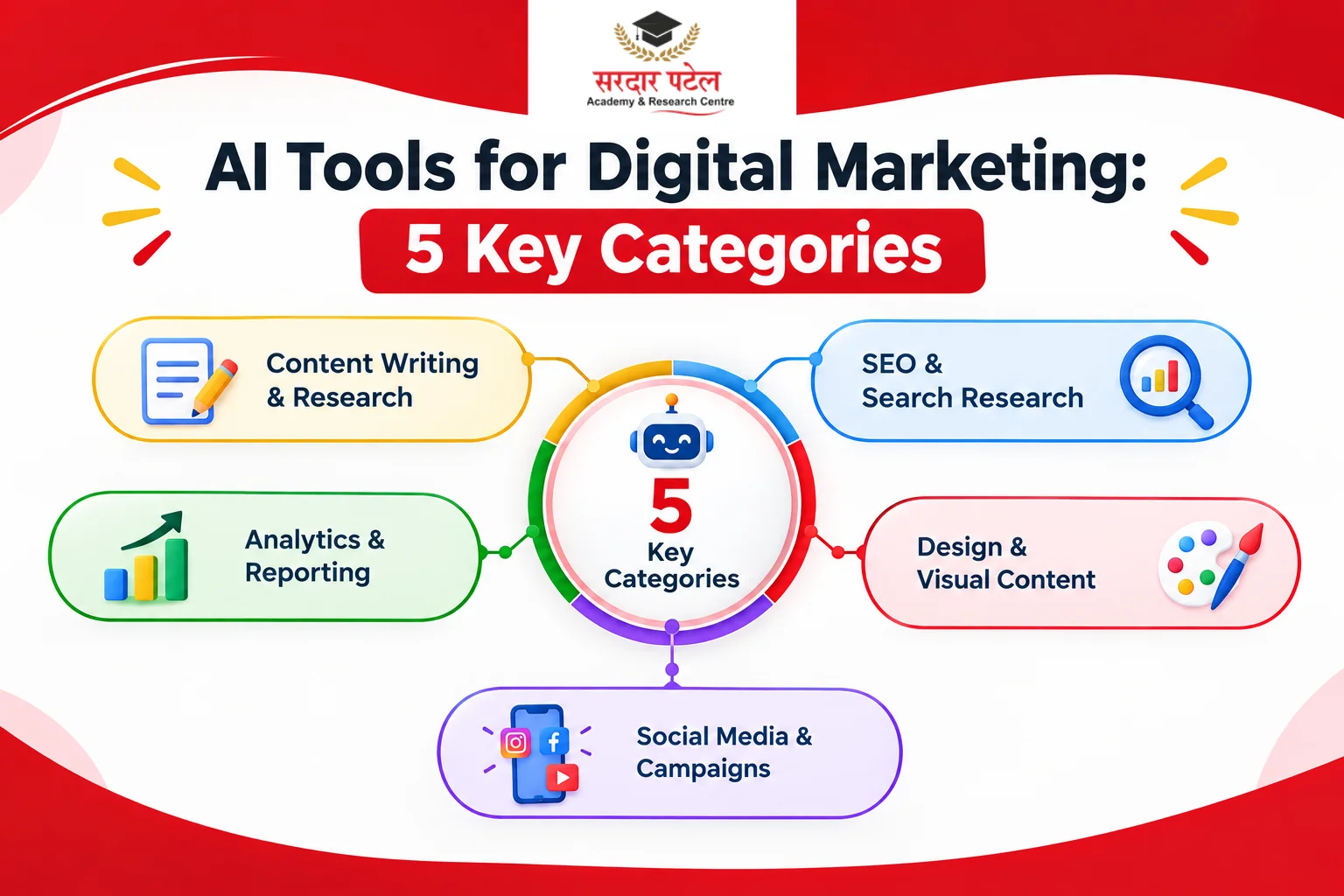
- Content Writing & Research
- SEO & Search Research
- Design & Visual Content
- Social Media & Campaign Management
- Analytics & Reporting
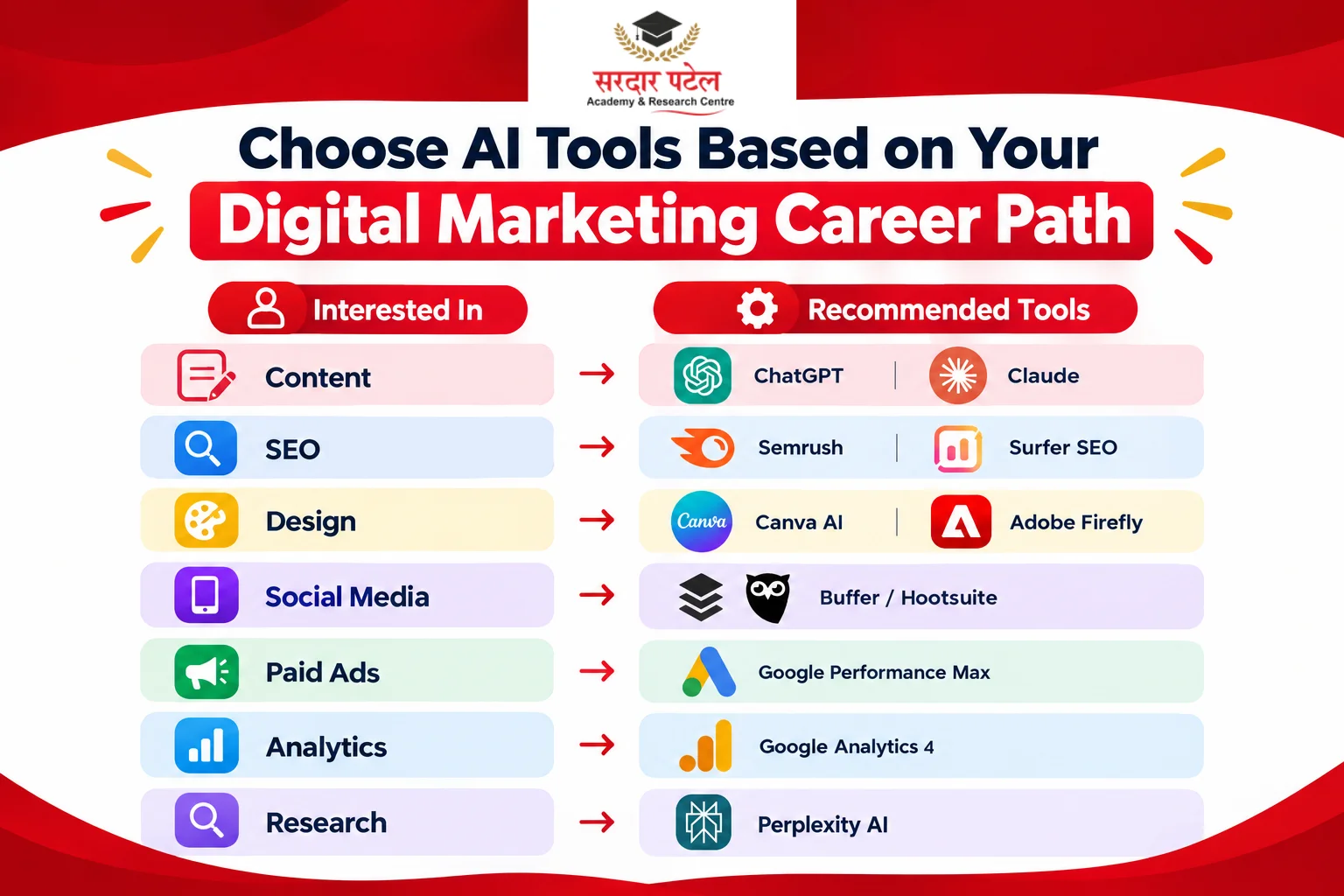
- Comparing These Tools by What They're Best At
- Common Mistakes Students Make With AI Tools
- Practical Tips for Getting Started
- Why This Matters for Students in Delhi NCR
- Conclusion
Walk into any digital marketing classroom today and you'll hear the same question: "Which tools should I actually learn?" With new platforms launching every month, it's easy to feel like you're always one step behind. This list cuts through that noise and focuses on AI tools for digital marketing students that are genuinely worth your time — the ones showing up in real job descriptions, not just in hype-filled videos.
You don't need to master all of these at once. The goal is to understand what each category of tool does, try a few hands-on, and build comfort with the ones most relevant to the specialization you're heading toward — whether that's content, SEO, social media, or paid ads.
What Are AI Tools in Digital Marketing, Exactly?
AI tools in digital marketing are software platforms that use machine learning or generative AI to speed up tasks like writing, designing, researching, or analysing campaign data — reducing manual effort while still needing human judgment to guide strategy and quality.
It's worth being clear about one thing upfront: these tools support marketing work, they don't replace the thinking behind it. Employers aren't looking for students who can only prompt a chatbot — they want people who understand strategy first and use AI to execute faster.
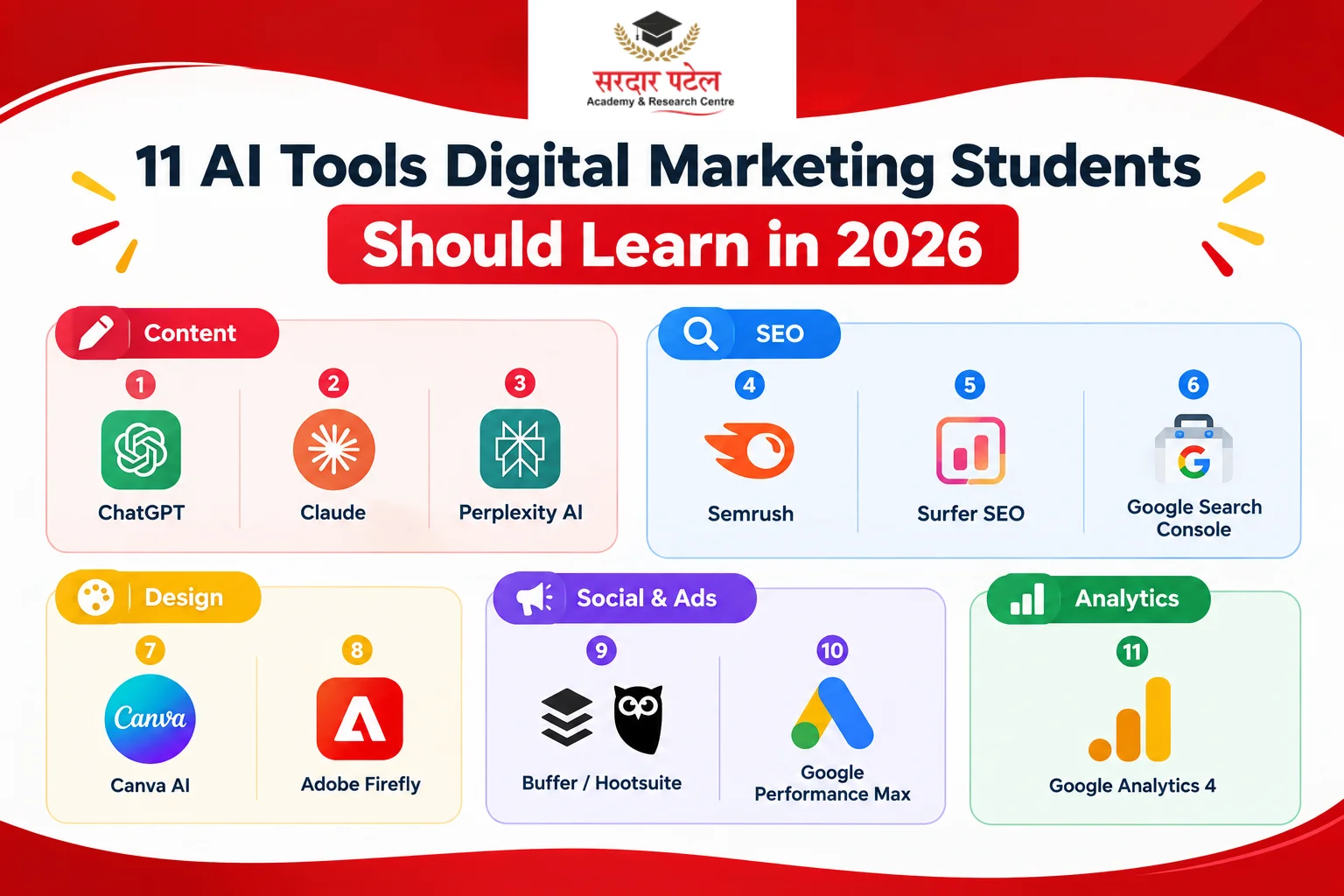
11 AI Tools Every Digital Marketing Student Should Know
These are grouped by what you'll actually use them for, since most students end up specializing in one or two areas early on.
Content Writing & Research
1. ChatGPT
Still one of the most widely used chatgpt tools for marketers, and for good reason. Students use it for brainstorming blog topics, drafting first versions of ad copy, summarising research, and building content calendars. Treat its output as a starting draft — it needs your editing, fact-checking, and brand voice on top.
2. Claude
Claude is increasingly popular for longer writing tasks — think detailed blog drafts, email sequences, or structured content briefs — where marketers report it holds a more natural, less repetitive tone over longer pieces. It's a good second option to compare output against ChatGPT rather than relying on just one tool.
3. Perplexity AI
Perplexity blends AI with real-time web search, which makes it useful for quick research where you need current information with sources attached — competitor research, industry trend checks, or fact-verifying a stat before you publish it.
SEO & Search Research
4. Semrush (AI features)
Semrush has added AI-assisted features on top of its core SEO toolkit — keyword research, content gap analysis, and competitor tracking. For students, even the free trial or limited free tools are useful for practising real audits before working with paid accounts on the job.
5. Surfer SEO
Surfer focuses specifically on content optimisation — it analyses top-ranking pages for a keyword and gives you a structure and terms to include. It's one of the more practical ai seo tools to learn if you're heading toward content or SEO-focused roles, since it teaches you to think in terms of search intent rather than just keyword density.
6. Google Search Console + AI Overviews Reporting
Not a separate AI tool, but worth mentioning here: Search Console now lets you filter performance data by AI Overviews appearances. Learning to read this data is becoming a practical SEO skill, since visibility inside AI-generated answers is a growing part of how search traffic works now.
Design & Visual Content
7. Canva AI (Magic Studio)
Canva's AI features — background removal, text-to-image generation, and Magic Write for captions — make it one of the most accessible tools for students without a design background. If you want a closer look at how ChatGPT and Canva's AI features work together in a real content workflow, this guide on Canva and ChatGPT tools for marketers walks through it in more detail.
8. Adobe Firefly
Firefly is Adobe's generative AI tool, built into Photoshop and Adobe Express. It's a useful next step once you're comfortable with Canva and want more control over image editing and generation within a more advanced design tool.
Social Media & Campaign Management
9. Buffer or Hootsuite (AI caption assistance)
Both platforms now include AI-assisted caption writing and posting-time suggestions. For students managing multiple social accounts during internships or client projects, this cuts down significantly on the time spent writing routine captions.
10. Google's AI-powered ad automation (Performance Max)
Google Ads now leans heavily on automation for bidding, targeting, and creative testing through campaign types like Performance Max. If you're planning to specialise in paid media, it's worth reading Google Ads Automation Trends You Must Know to understand how much of campaign management is shifting from manual settings to AI-guided decisions.
Analytics & Reporting
11. Google Analytics 4 (AI-generated insights)
GA4 includes automated insights that flag unusual patterns in traffic or conversions without you having to dig through every report manually. Learning to interpret these flags — rather than just accepting them — is a skill that separates a junior analyst from someone who can actually explain results to a client.
Comparing These Tools by What They're Best At
| Tool |
Best For |
Good Starting Point If You're Into |
| ChatGPT |
General writing & brainstorming |
Content, social media |
| Claude |
Longer-form, natural-sounding writing |
Content, blogging |
| Perplexity AI |
Quick, sourced research |
SEO, content research |
| Semrush / Surfer SEO |
Keyword & content optimisation |
SEO |
| Canva AI |
Fast visual content creation |
Social media, design |
| Buffer / Hootsuite |
Scheduling & caption assistance |
Social media management |
| Google Performance Max |
AI-automated ad campaigns |
Paid advertising |
| Google Analytics 4 |
Automated performance insights |
Analytics, reporting |
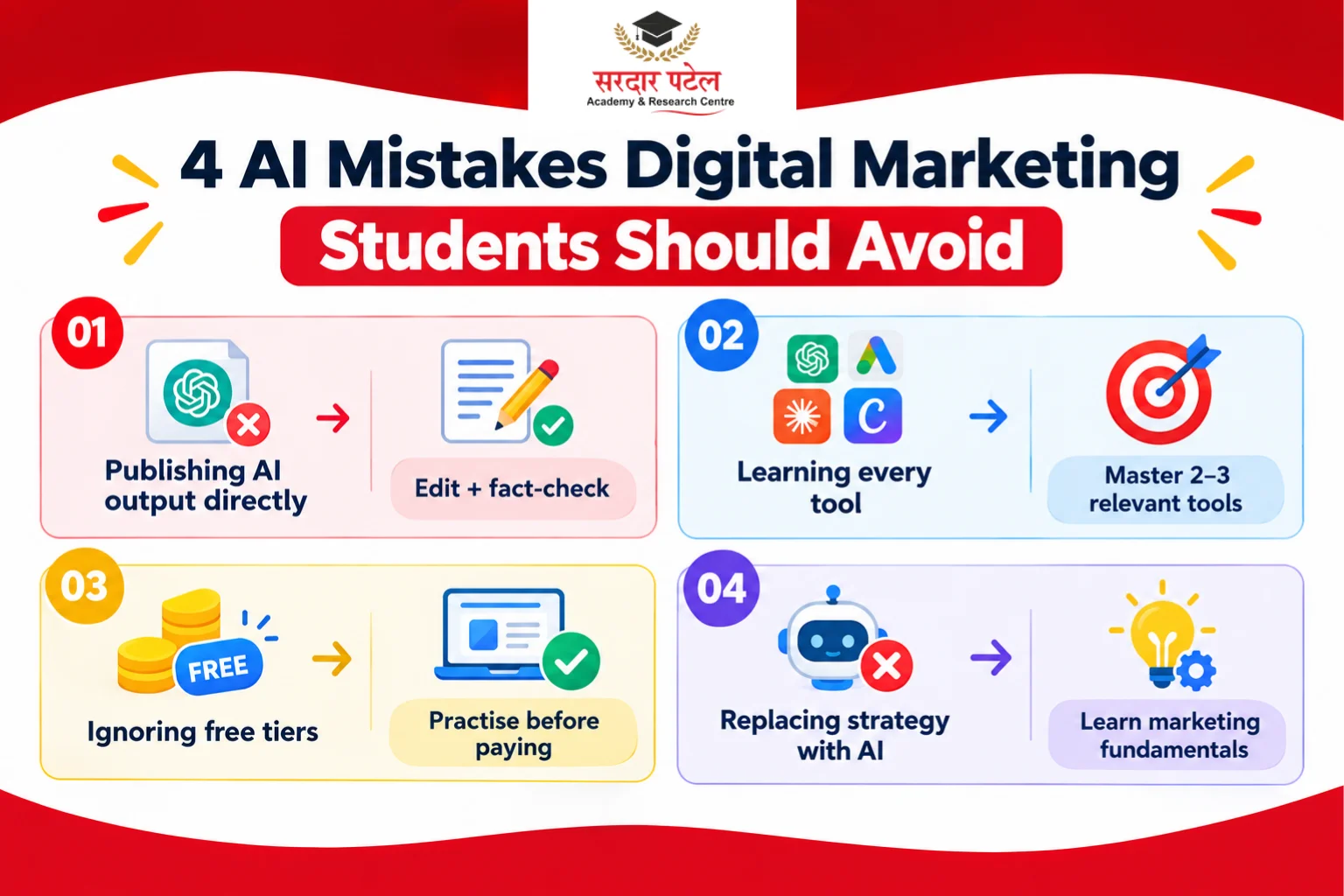
Common Mistakes Students Make With AI Tools
- Publishing AI output without editing. Unedited AI-generated content often reads generically and can hurt credibility — always add your own voice and fact-check claims.
- Trying to learn every tool at once. It's more useful to go deep on two or three tools relevant to your specialization than to skim ten.
- Ignoring the free tiers. Most of these tools offer enough functionality on free or trial plans to practise meaningfully before you need a paid account.
- Treating AI tools as a replacement for strategy. Employers still expect you to explain why a piece of content or a campaign choice was made — a tool can't answer that for you.
Practical Tips for Getting Started
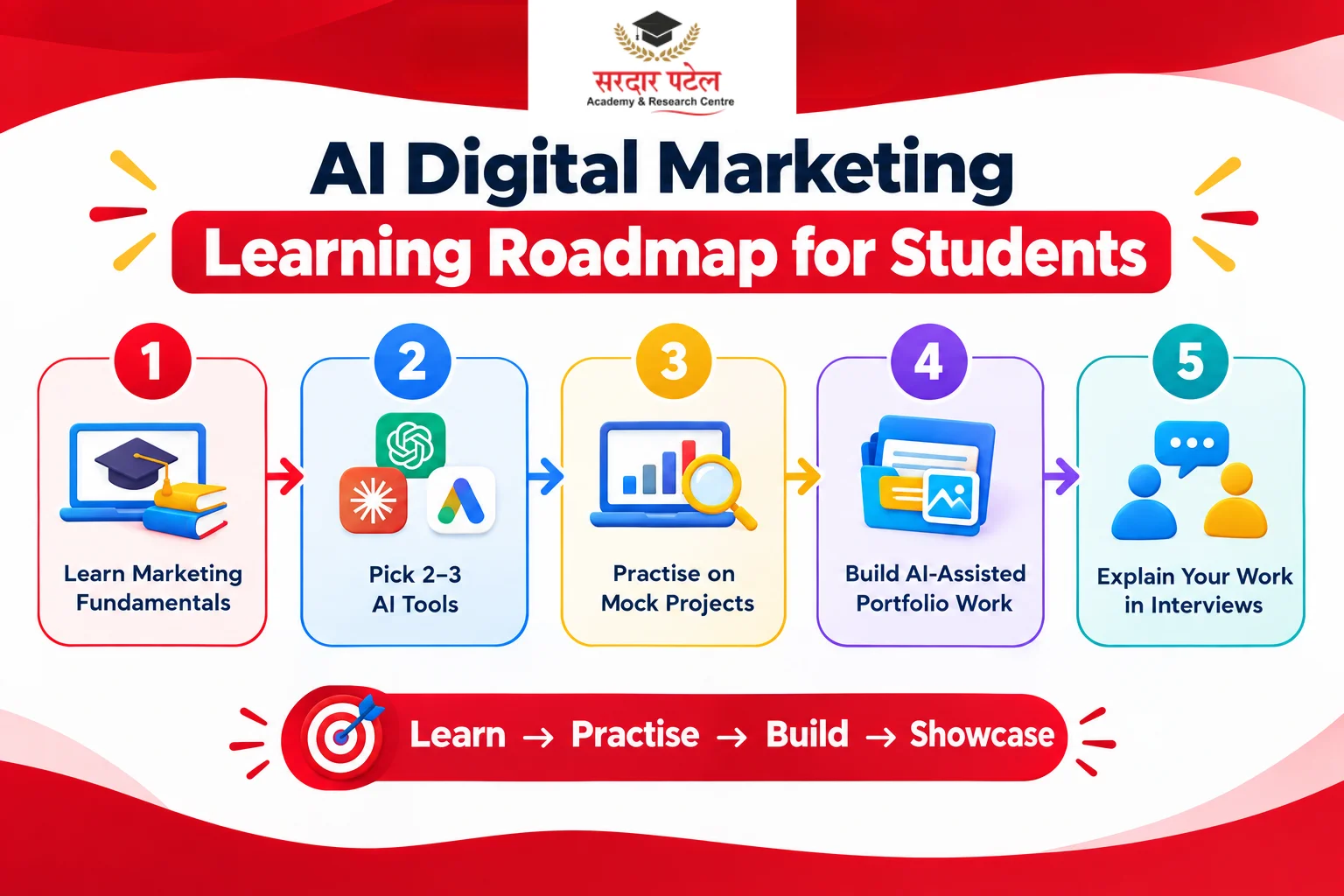
- Pick one tool per category above and spend a week actually using it on a mock project.
- Save prompts that work well for you — a simple prompt library saves a lot of repeated trial and error.
- Compare outputs from two tools (like ChatGPT and Claude) on the same task to understand their different strengths.
- Keep a short portfolio of AI-assisted work you can explain in an interview — what you asked for, what you changed, and why.
Why This Matters for Students in Delhi NCR
Delhi NCR's digital marketing job market — spanning agencies, startups, and in-house teams across the region — increasingly expects candidates to be comfortable with at least a handful of these tools by the time they finish training. It's less about knowing every platform and more about showing you can pick up new AI tools quickly, since the specific tools in use will keep changing.
If you want structured, hands-on practice with these tools rather than learning them piecemeal, SPARC's digital marketing course builds AI tool training directly into the coursework alongside core marketing fundamentals.
Conclusion
The right AI tools for digital marketing students aren't about chasing every new launch — they're about building comfort with a handful of platforms that map directly to real marketing tasks: writing, SEO, design, campaign management, and reporting.
Start small, practise consistently, and be ready to explain the thinking behind your AI-assisted work in interviews. That combination of tool fluency and genuine strategic understanding is what actually stands out to employers.
If you'd like guided, hands-on practice with these tools instead of figuring them out on your own, it's worth exploring a course built around current industry practice.
Master AI Marketing Tools
Sardar Patel Academy & Research Centre (SPARC) | GTB Nagar, Delhi
sparc.org.in | +91 93129-66129
FAQs
ChatGPT is usually the easiest starting point since it applies across content writing, brainstorming, and basic research. From there, branch into a tool specific to your interest area, like Canva AI for design or Surfer SEO for search.
Most offer a free tier or trial — ChatGPT, Claude, Perplexity, and Canva all have usable free versions. Tools like Semrush and Surfer SEO typically require a paid plan for full access, though limited free trials are usually available.
No. AI tools speed up execution, but they can't replace understanding of audience research, campaign strategy, or brand positioning. Employers consistently look for both together, not one instead of the other.
Surfer SEO and Semrush's AI features are good starting points because they show you the reasoning behind their suggestions, which helps you learn SEO concepts alongside using the tool.
Not completely. AI tools like Buffer and Hootsuite can automate scheduling and suggest captions, but strategy, community engagement, and brand voice decisions still need a human involved.
Check whether it appears in actual job postings and whether it solves a real, recurring task rather than a one-off gimmick. Tools tied to core functions — content, SEO, ads, analytics — tend to have longer staying power than novelty apps.