+91 9312966129
 sparc.enquiry01@gmail.com


How to Create Your First Blog Website
Learn how to create a blog website step by step in this beginner tutorial, plus a simple WordPress blog setup for students, costs, and tools.
Table of Contents
- Why Follow a Create Blog Website Tutorial in 2026
- What You Need Before You Start
- Choosing the Right Platform to Build Your Blog
- Step-by-Step: Create Blog Website Tutorial for Beginners
- Step 1 — Pick a Domain Name and Buy Hosting
- Step 2 — Install WordPress in One Click
- Step 3 — Choose and Customize a Theme
- Step 4 — Create Your Essential Pages
- Step 5 — Install Only the Plugins You Actually Need
- Step 6 — Write and Publish Your First Blog Post
- Common Mistakes First-Time Bloggers Make
- From Blog to Career: Why This Skill Matters for Students
- Conclusion
A blog website can go live in under two hours, even with zero coding experience: pick a niche, buy a domain and hosting, install WordPress, choose a theme, and publish your first post.
That five-step order is the backbone of this create blog website tutorial, and it is the exact sequence thousands of first-time bloggers and students in Delhi NCR follow before they ever apply for a content or SEO role.
If you have been searching “how to start a blog” and closing ten tabs of conflicting advice, you are not alone. Blogging looks intimidating from the outside because most guides jump straight into plugins and SEO settings. This create blog website tutorial does the opposite — it starts from zero, assumes you have never touched a website builder, and walks through each screen you will actually see.
Why Follow a Create Blog Website Tutorial in 2026
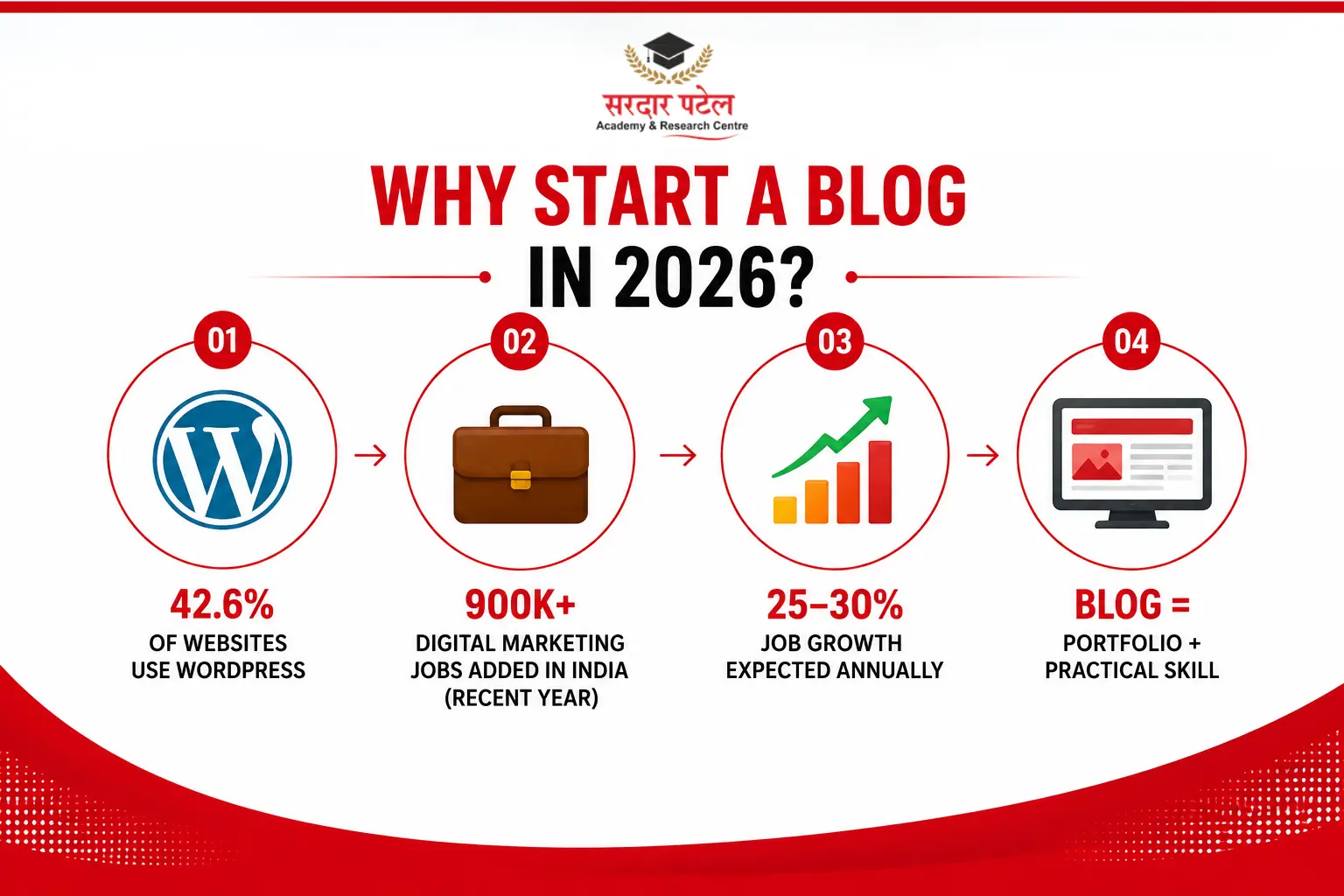
Blogging is no longer just a hobby, which is exactly why so many students search for a reliable create blog website tutorial before their first internship. WordPress alone now powers 42.6% of all websites on the internet and about 59% of every site built on a known content management system, according to the report of W3Techs’ 2026 tracking. The career case is just as strong. India added over 900,000 digital marketing jobs in a single recent year, and postings in the field have grown roughly 30% over the past two years, with 25–30% annual growth projected through the rest of the decade. A working blog, built and managed by you, is often the first project recruiters ask about in an interview.
Digital marketing hiring in India has grown sharply in recent years, with job postings rising 25–30% annually as businesses shift budgets online. Over 8.6 lakh digital marketing jobs were created in India in 2024.
Quick tip — Before you touch any tool, write down five topics you could publish about without research. That list becomes your blog's niche, and it is the single biggest factor in whether your first blog website gets traffic at all.
What You Need Before You Start
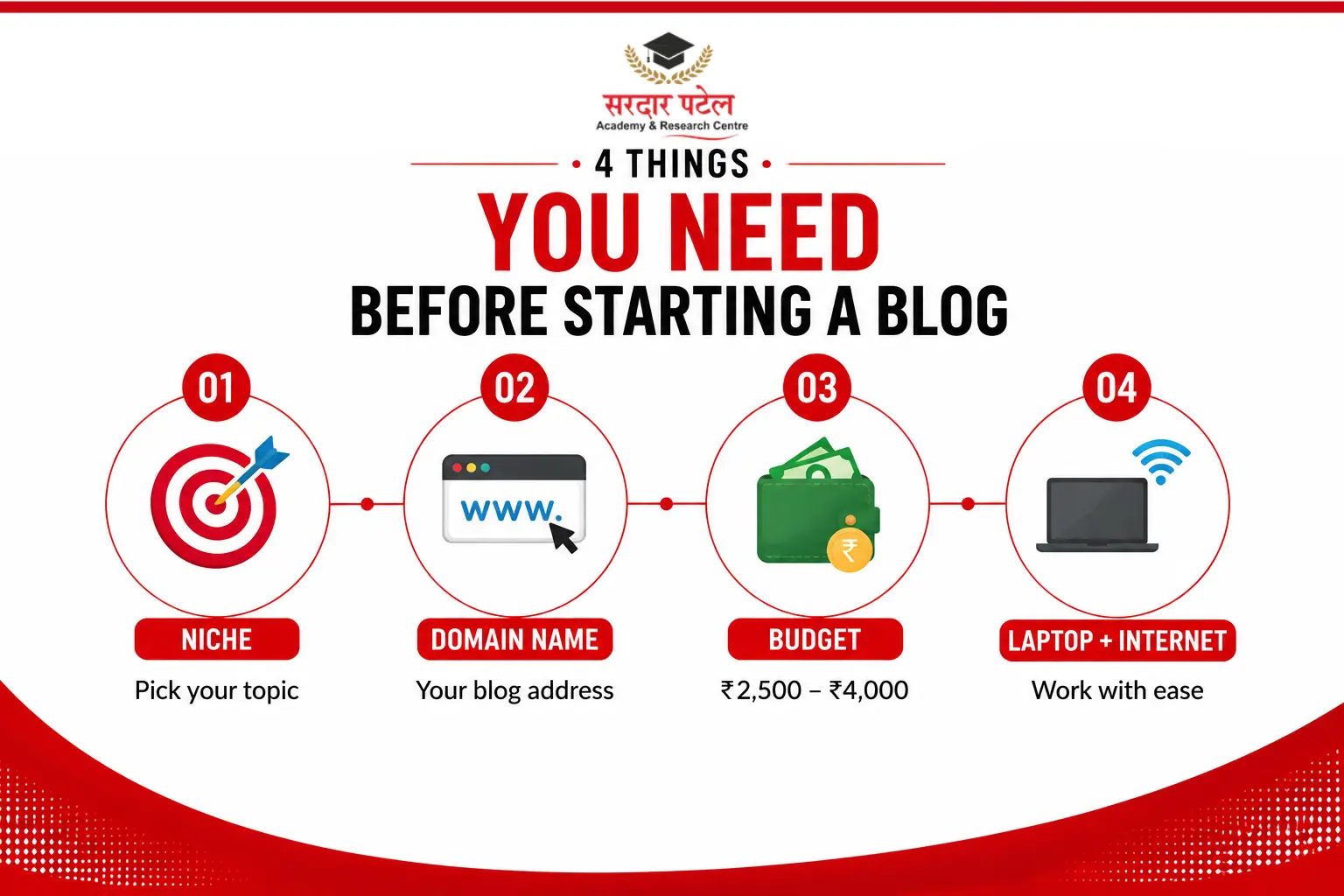
You do not need a laptop loaded with design software. A basic create blog tutorial only requires four things:
- A niche or topic you can write about consistently — travel, food, study tips, personal finance, or a college subject
- A domain name idea (your blog's web address, like yourname.com)
- A budget of roughly ₹2,500 to ₹4,000 for the first year of domain and hosting
- A working laptop or phone with a stable internet connection
- That is the entire checklist this blog website tutorial asks you to prepare.
Everything else — themes, plugins, images — comes after your website is technically live.
Choosing the Right Platform to Build Your Blog
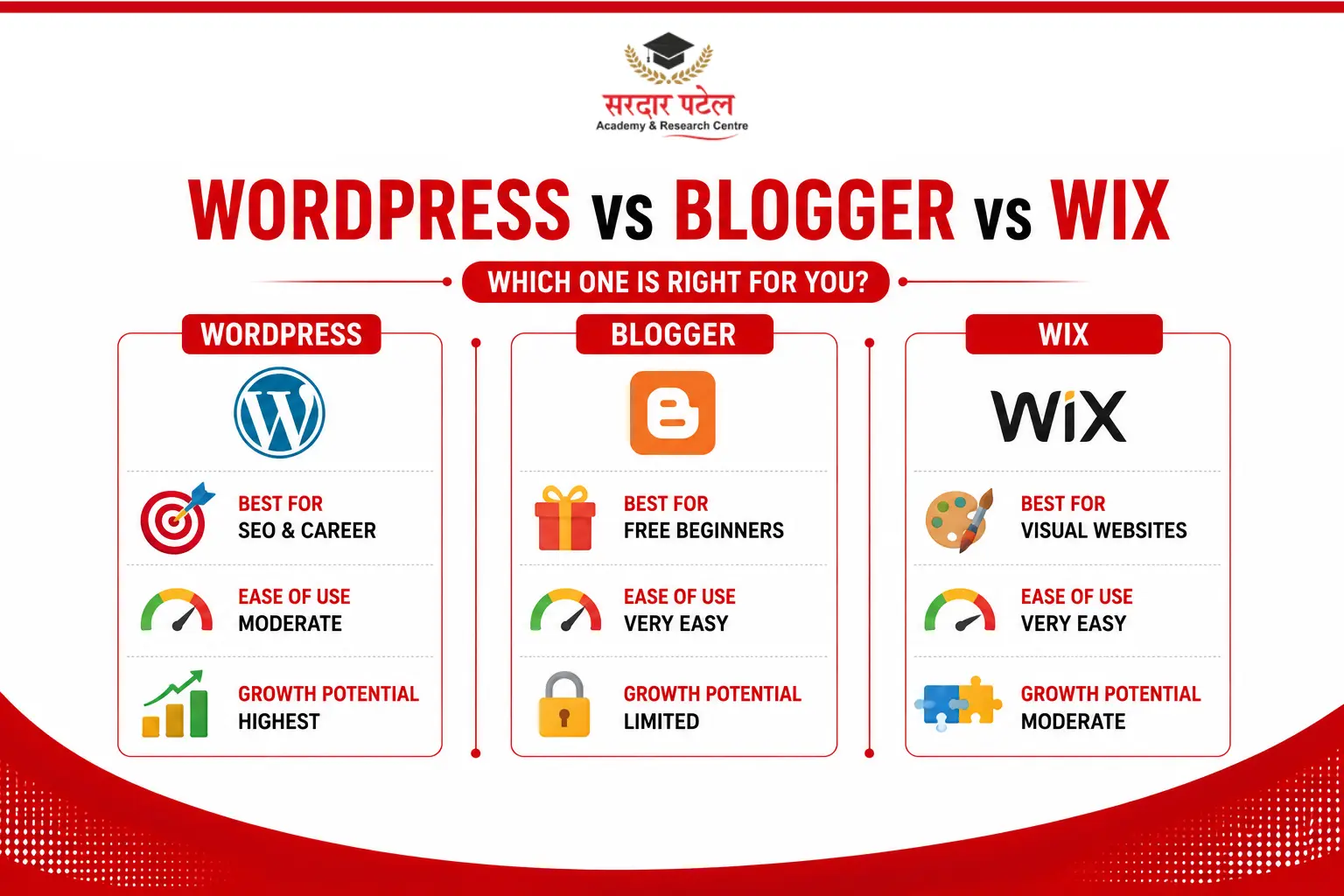
Every blogging guide has to answer one question first: which platform should you actually build on? Three names come up most often for beginners — WordPress, Blogger, and Wix — and each suits a different kind of blogger.
Blogging platform comparison for beginners
| Source: G2.com and Ambition Box platform reviews, 2026 |
For anyone planning a career in content, SEO, or digital marketing, WordPress is the platform this beginner tutorial recommends because it is what most Indian agencies and in-house teams actually use to publish and optimize content.
Why a WordPress blog setup for students works best —
WordPress is free and open-source, which means you only pay for hosting and a domain, not the platform itself. It also teaches the exact CMS most digital marketing internships expect you to already know.
Step-by-Step: Create Blog Website Tutorial for Beginners
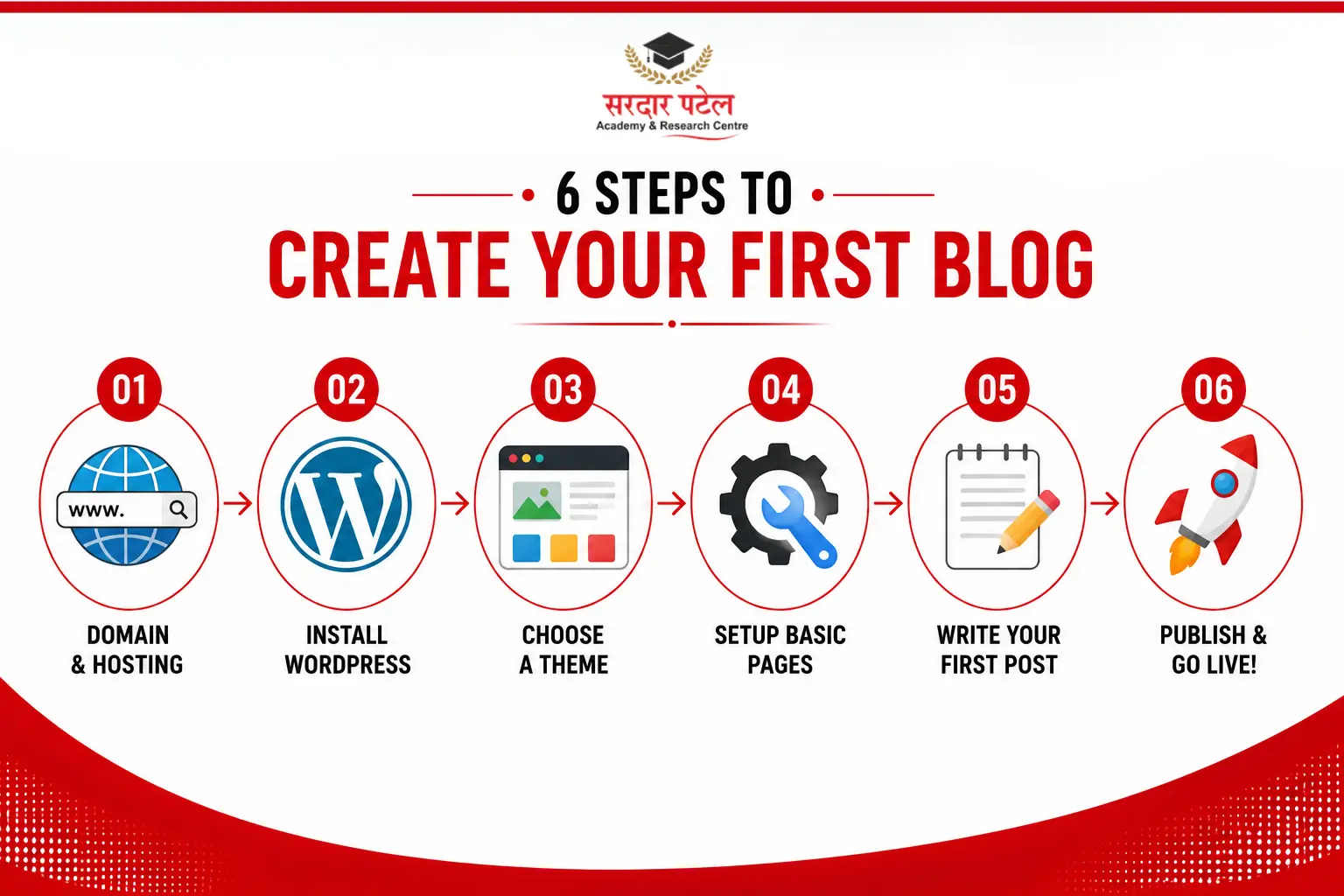
This is the core step-by-step guide — six steps, done in order, take most beginners under 90 minutes from start to a published first post.
Step 1 — Pick a Domain Name and Buy Hosting
Choose a domain name that is short, easy to spell, and free of numbers or hyphens where possible. Buy it through a hosting provider such as Hostinger, Bluehost, or GoDaddy — most beginner hosting plans in India start around ₹150–₹250 per month and include the domain free for the first year. This single purchase is what turns an idea into a real, ownable blog website.
Step 2 — Install WordPress in One Click
Almost every Indian hosting provider now offers one-click WordPress installation from the hosting dashboard. Log in, find the “Install WordPress” or “Website” tab, follow the prompt, and your site's admin panel (usually at yoursite.com/wp-admin) will be ready in under ten minutes. This step alone is what makes a WordPress blog setup for students so approachable — there is no manual server configuration involved.
Step 3 — Choose and Customize a Theme
From the WordPress dashboard, go to Appearance > Themes and pick a free, lightweight theme such as Astra, Neve, or GeneratePress — this beginner tutorial deliberately keeps theme choice simple at this stage. Avoid heavy, image-stacked themes; they slow your site down and hurt search rankings before you have published a single post. Set your site title, tagline, and logo under Appearance > Customize.
Step 4 — Create Your Essential Pages
Before writing your first blog post, publish four pages every credible blog needs: Home, About, Contact, and Privacy Policy. These pages build trust with both readers and Google — they are part of what search engines look for when judging whether a site is genuine, a signal often summarized as experience, expertise, authoritativeness, and trust (EEAT).
Step 5 — Install Only the Plugins You Actually Need
Resist installing twenty plugins on day one. Three cover almost everything a beginner needs: an SEO plugin (Rank Math or Yoast), a caching plugin for speed, and a security plugin. Each additional plugin adds a small amount of load time, and slow sites can hurt user experience and search visibility. Understanding these fundamentals is part of learning SEO basics for beginners, especially when setting up and optimizing a WordPress website.
Step 6 — Write and Publish Your First Blog Post
Open Posts > Add New, write a genuinely useful 800–1,000-word post on a topic from your niche list, and hit Publish. Before choosing your topic, following a keyword research tutorial for beginners can help you identify what your target audience is actually searching for and create content with better SEO potential.
Two-minute recap —
Buy a domain and hosting, install WordPress, pick a light theme, publish About/Contact/Privacy pages, add three essential plugins, then publish your first post. That is the entire beginner tutorial in one paragraph.
Common Mistakes First-Time Bloggers Make
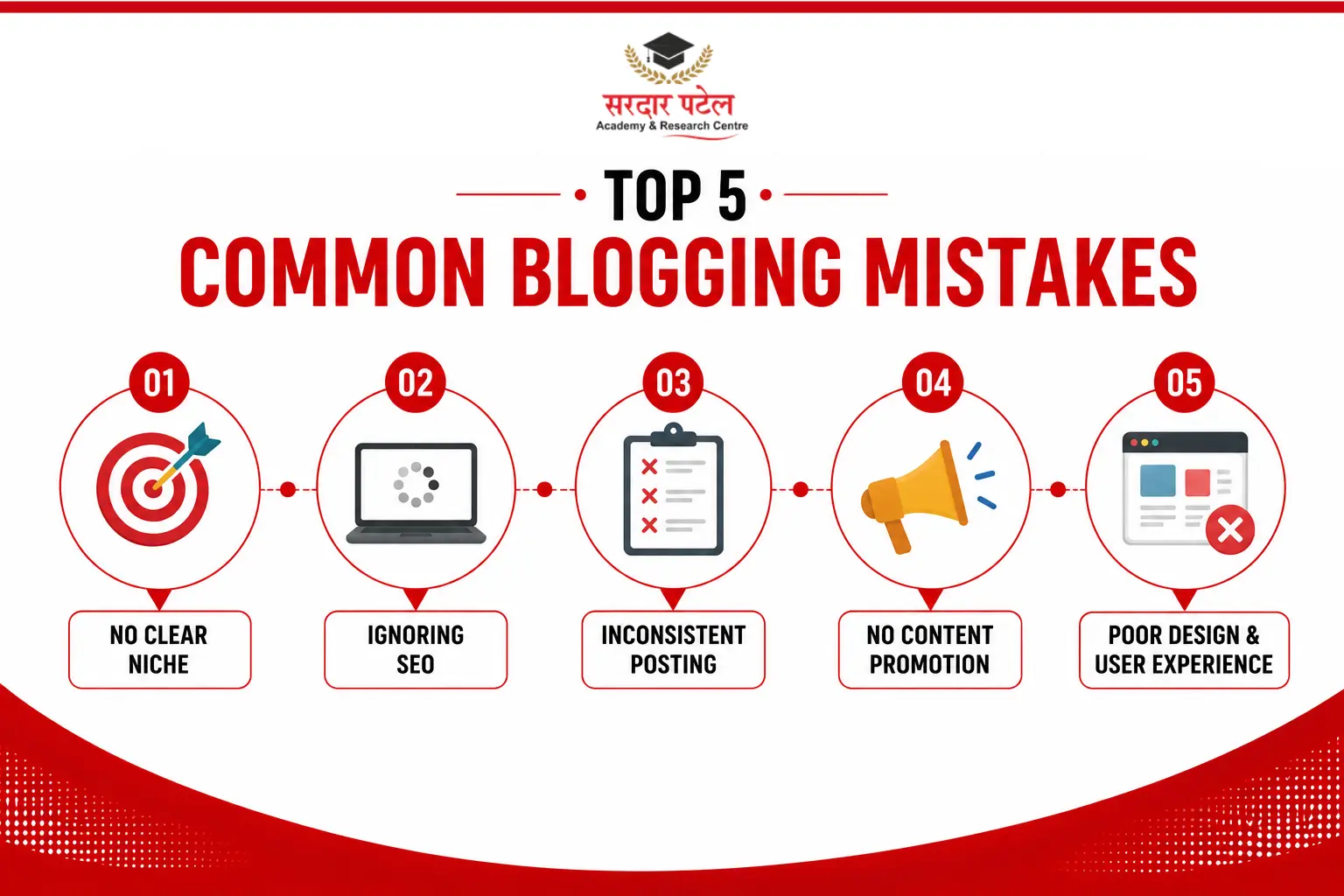
Most beginners repeat the same handful of errors, and knowing them in advance is what separates a rushed attempt from a proper blog tutorial:
- Choosing a broad niche like “lifestyle” instead of a specific, searchable topic
- Picking a heavy theme with animations that slow the site to a 4–5 second load time
- Skipping the About and Contact pages, which hurts trust signals and SEO
- Installing too many plugins before the site even has traffic to justify them
Publishing without checking for at least one clear, searchable keyword per post, and reviewing the key on-page elements with an on-page SEO checklist for beginners, can make it easier to optimize your content from the start.
From Blog to Career: Why This Skill Matters for Students
A self-built blog is more than a portfolio piece. Recruiters in SEO, content writing, and social media roles routinely ask candidates to show a live website they manage themselves — and a WordPress blog setup for students demonstrates exactly the skills those roles need: publishing, basic SEO, and content planning. Learning how to track website traffic and user behaviour through a Google Analytics tutorial for beginners can further strengthen these practical skills and make your blog a more valuable portfolio project.
| Source: Digital Vidya industry report, 2026 |
Conclusion
Creating a blog website is not a technical challenge anymore — it is a sequence. Pick a niche, buy a domain and hosting, install WordPress, choose a light theme, publish your essential pages, and hit publish on your first post. Follow that order, and you will have a live blog before the day is out, and a genuine skill you can show in any content or digital marketing interview.
Start Website Project with Sardar Patel Academy & Research Centre —SPARC
our trainers help you build, launch, and optimize a real blog website as part of live digital marketing training.
Call +91 93129-66129 or visit sparc.org.in.
FAQs
No. Platforms like WordPress, Blogger, and Wix are built for non-coders. A basic create blog website tutorial like this one only requires you to click through dashboard menus — no HTML, CSS, or programming knowledge is needed to publish your first post.
A first-year budget of ₹2,500 to ₹4,000 typically covers domain registration and beginner hosting — this create blog website tutorial does not require any paid software beyond that. Blogger is free but offers far less control. WordPress hosting plans usually run ₹150–₹400 per month depending on the provider and plan you choose.
Blogger is easier to start with no cost, but WordPress offers far more design freedom, plugin support, and SEO control. Anyone considering a career in content or digital marketing should prioritise a WordPress blog setup for students, since it mirrors the tools used professionally.
Most beginners finish domain purchase, hosting, WordPress installation, theme setup, and their first published post within 60 to 90 minutes, provided they follow a clear, sequential create blog website tutorial rather than jumping between unrelated guides.
Yes, but it is not ideal for SEO. Search engines build authority around consistent topics over time, so switching niches frequently resets some of that progress. It is better to choose a niche you can commit to for at least six months.
No. A personal blog does not require any business registration in India. Registration only becomes relevant later if you start earning significant income and need to handle taxation or invoicing as a formal business entity.
Astra, Neve, and GeneratePress are widely recommended for beginners because they are lightweight, fast-loading, and compatible with major page builders. A slower, heavier theme can hurt both user experience and search rankings from day one.
Install an SEO plugin, target one clear keyword per post, write descriptive titles and meta descriptions, and submit your sitemap through Google Search Console. Consistency matters more than volume — regular, well-optimised posts outperform sporadic publishing.
Yes. The six-step process — domain, hosting, WordPress install, theme, essential pages, first post — is designed to be completed in a single sitting of 60–90 minutes, which is why it is taught as a starter project in most digital marketing training programs.
No. Free themes like Astra and free versions of Yoast or Rank Math cover everything a first blog needs. Premium upgrades only make sense once your blog has consistent traffic and you need advanced design or SEO features.
Pick the topic from your niche list that you could explain to a friend without any research. A specific, useful first post — even a simple how-to or list — teaches you the publishing workflow faster than an ambitious post you struggle to finish.