+91 9312966129
 sparc.enquiry01@gmail.com


AI Tools Every Data Analyst Should Know
Discover the best AI tools for data analysts in 2026 — practical, real-world picks for students, professionals, and business owners starting out.
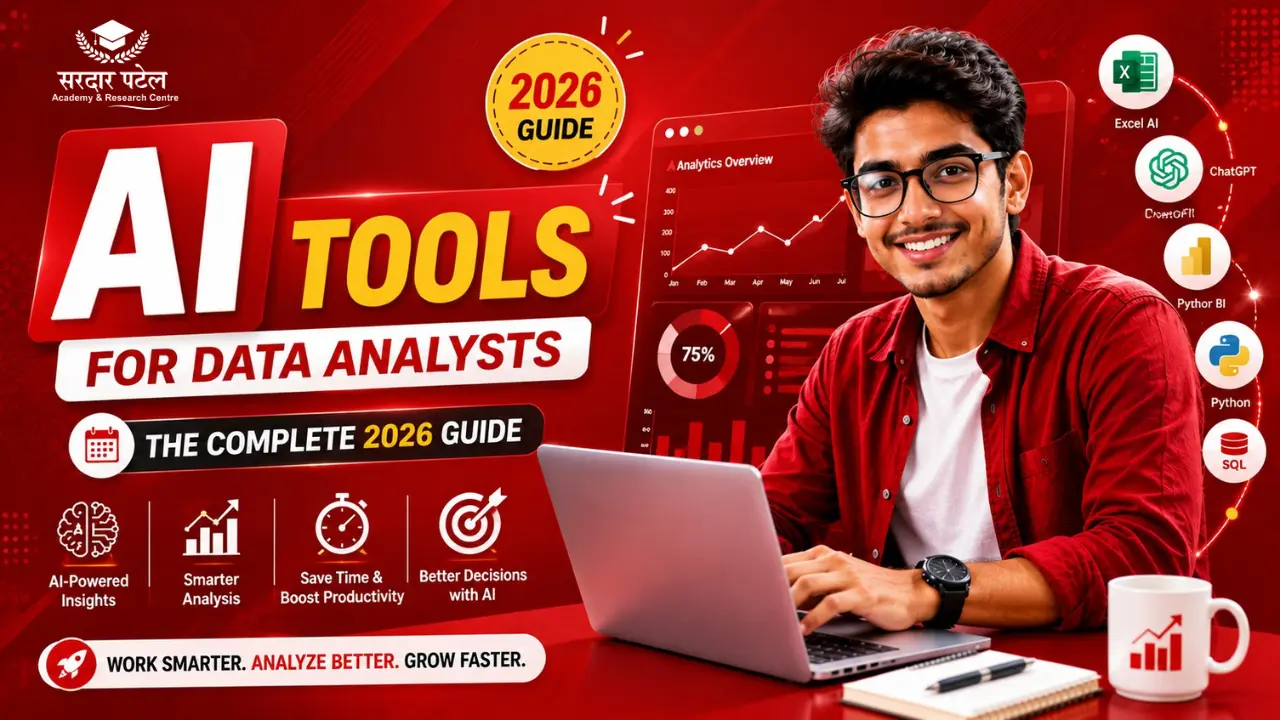
Table of Contents
- Why AI Tools Matter for Data Analysts Right Now
- Key AI Tools Every Data Analyst Should Know
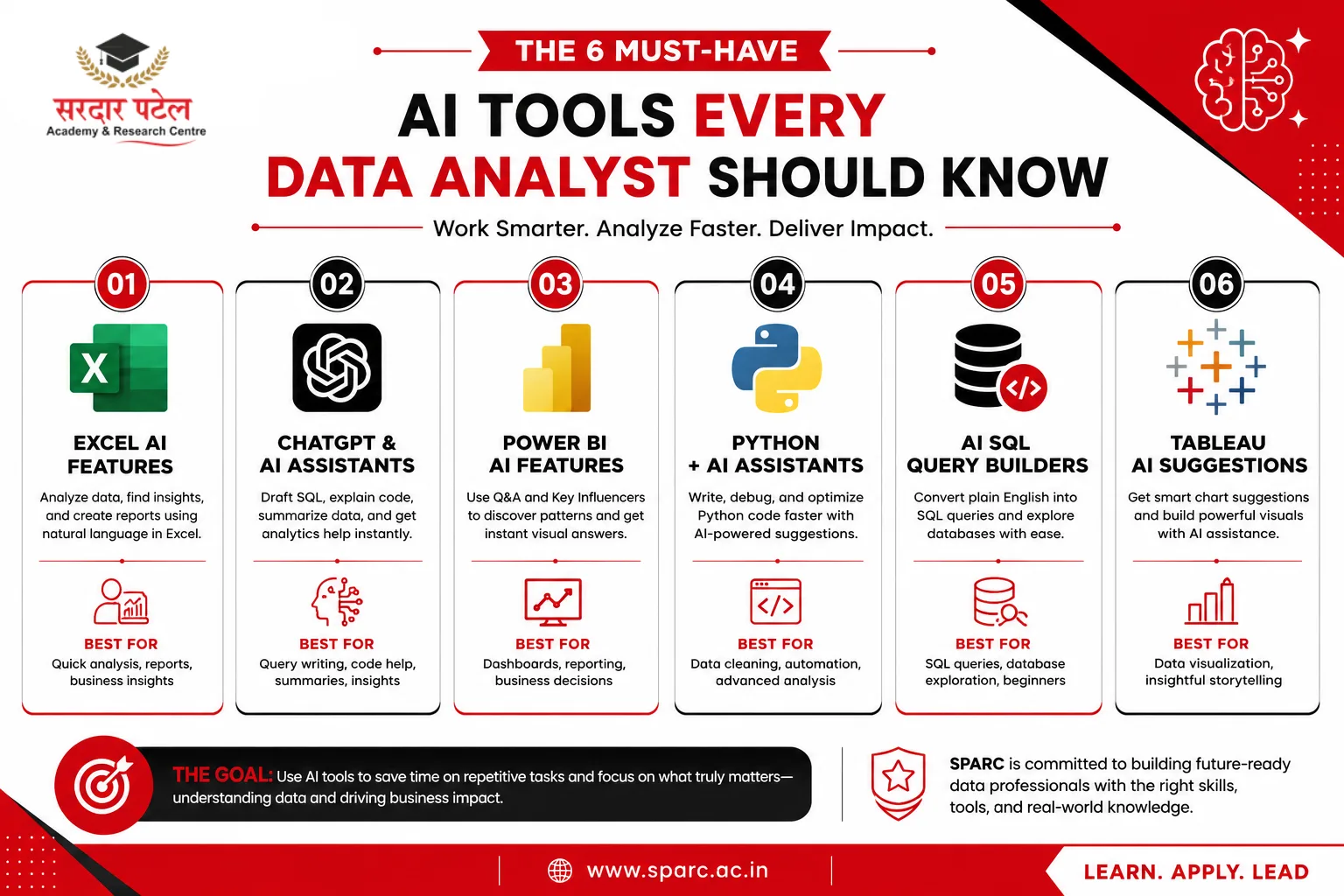
- 1. AI-Powered Excel Features
- 2. ChatGPT and Other AI Assistants for Analysis
- 3. Power BI's Built-In AI Features
- 4. Python Libraries for AI-Assisted Analysis
- 5. AI-Assisted SQL Query Builders
- 6. AI-Driven Data Visualization Tools
- A Quick Comparison of AI Tools by Use Case
- Advantages of Using AI Tools in Data Analysis
- Challenges and Limitations to Keep in Mind
- Common Mistakes to Avoid
- Best Practices for Working with AI Tools
- How to Start Using AI Tools as a Data Analyst
- Conclusion
A few months back, a student in one of my training sessions asked me something that stuck with me: "Do I still need to learn SQL if AI can write queries for me now?" The truth is, AI hasn't replaced the need to understand data. It's changed how fast you can work with it, and who gets to work with it in the first place.
I've spent years working directly with data teams, and I've watched this shift happen in real time. A few years ago, AI tools for data analysts were mostly experimental add-ons. Now, they're built into the software people use daily, from Excel to Power BI to SQL editors. Whether you're a student starting, a professional staying relevant, or a business owner trying to understand your own numbers, this guide covers the AI tools worth knowing, how they work in practice, and where they fall short.
By the end, you'll know which tools to prioritise, how to use a few of them with simple examples, and the mistakes people commonly make when leaning too heavily on AI.
Why AI Tools Matter for Data Analysts Right Now
Data analysis used to involve a lot of repetitive, manual work: cleaning messy spreadsheets, writing the same type of query over and over, building charts one by one. AI tools have taken over much of that grunt work, which means analysts can spend more time on the part that actually matters, which is figuring out what the data means and what to do about it.
This is also why AI software for analytics students has become such a common search. Students entering the field today aren't just learning to write formulas; they're learning to work alongside AI tools that speed up nearly every step of the process. It also explains why Top Freelance Platforms for Data Analysts businesses want people who can use these tools well, not just people who know one or the other.
Key AI Tools Every Data Analyst Should Know
1. AI-Powered Excel Features
Excel has quietly become one of the more AI-enhanced tools analysts use daily. Features like automated insights and natural language queries let you ask a plain question about your spreadsheet and get a quick answer.
Practical example: Instead of building a pivot table to find your top five customers by revenue, you can type a plain question into Excel's AI-assisted analysis feature and get a ranked summary in seconds.
2. ChatGPT and Other AI Assistants for Analysis
AI chat assistants have become a genuine part of an analyst's workflow: explaining code, drafting SQL queries, summarizing findings, and suggesting which chart type fits a dataset best. This is really at the heart of how AI vs Data Analytics Career Comparison
Practical example: An analyst stuck on a complex SQL join can describe the tables in plain language to an AI assistant and get a draft query to test and refine, saving the back-and-forth of digging through old documentation.
These tools work best as a starting point, not a final answer. Every AI-suggested query still needs to be checked against the actual data.
3. Power BI's Built-In AI Features
Power BI now has AI features that spot patterns for you. One called Key Influencers shows what's driving a change in your numbers. Another, called Q&A, lets you type a question in plain words and get an answer back as a chart.
Practical example: A retail manager reviewing a sales dashboard can type "which product category dropped the most last quarter" into the Q&A feature and get an instant visual answer, without building a new report from scratch.
4. Python Libraries for AI-Assisted Analysis
For analysts comfortable with code, Python remains central, and AI has made several libraries even more useful. Tools like pandas now pair well with AI-assisted coding assistants that suggest code as you type.
Simple example:
import pandas as pd
df = pd.read_csv("customer_data.csv")
df.dropna(subset=["email"], inplace=True)
df["signup_month"] = pd.to_datetime(df["signup_date"]).dt.month
This small script removes rows with missing emails and pulls the signup month from a date column, a common first step before deeper analysis.
5. AI-Assisted SQL Query Builders
Many database tools now turn plain English into SQL. This helps business owners or beginners who know what they want to find out but aren't confident writing queries from scratch.
Simple example of what the AI might generate from a plain question like "show me total sales by month":
SELECT MONTH(order_date) AS month, SUM(sale_amount) AS total_sales
FROM orders
GROUP BY MONTH(order_date)
ORDER BY month;
Even if AI writes the first draft, understanding what this query does is what separates someone who can fix it from someone stuck when it breaks.
6. AI-Driven Data Visualisation Tools
Tools like Tableau now suggest visualisations based on the shape of your data, recommending a line chart, bar chart, or scatter plot depending on what communicates your point best.
Practical example: A finance analyst comparing quarterly expenses across five departments can let the tool suggest the clearest chart instead of guessing.
A Quick Comparison of AI Tools by Use Case
Not every tool on this list needs a paid plan to get started. Many of the features above, especially Excel's AI functions and basic AI chat assistants, are available for free or already included in tools you likely use. If cost is a concern, it's worth looking separately at Power BI vs Tableau Comparison, since several strong options exist for students and small business owners on a budget.
Real Business Scenarios Where These Tools Help
I once sat in on a small business meeting where the owner wanted to know why weekend sales had dipped over two months. Instead of digging through transaction logs by hand, we pulled the data into a dashboard with AI-suggested visuals, and within minutes, it was clear a nearby competitor's weekend discount had been pulling in regular customers.
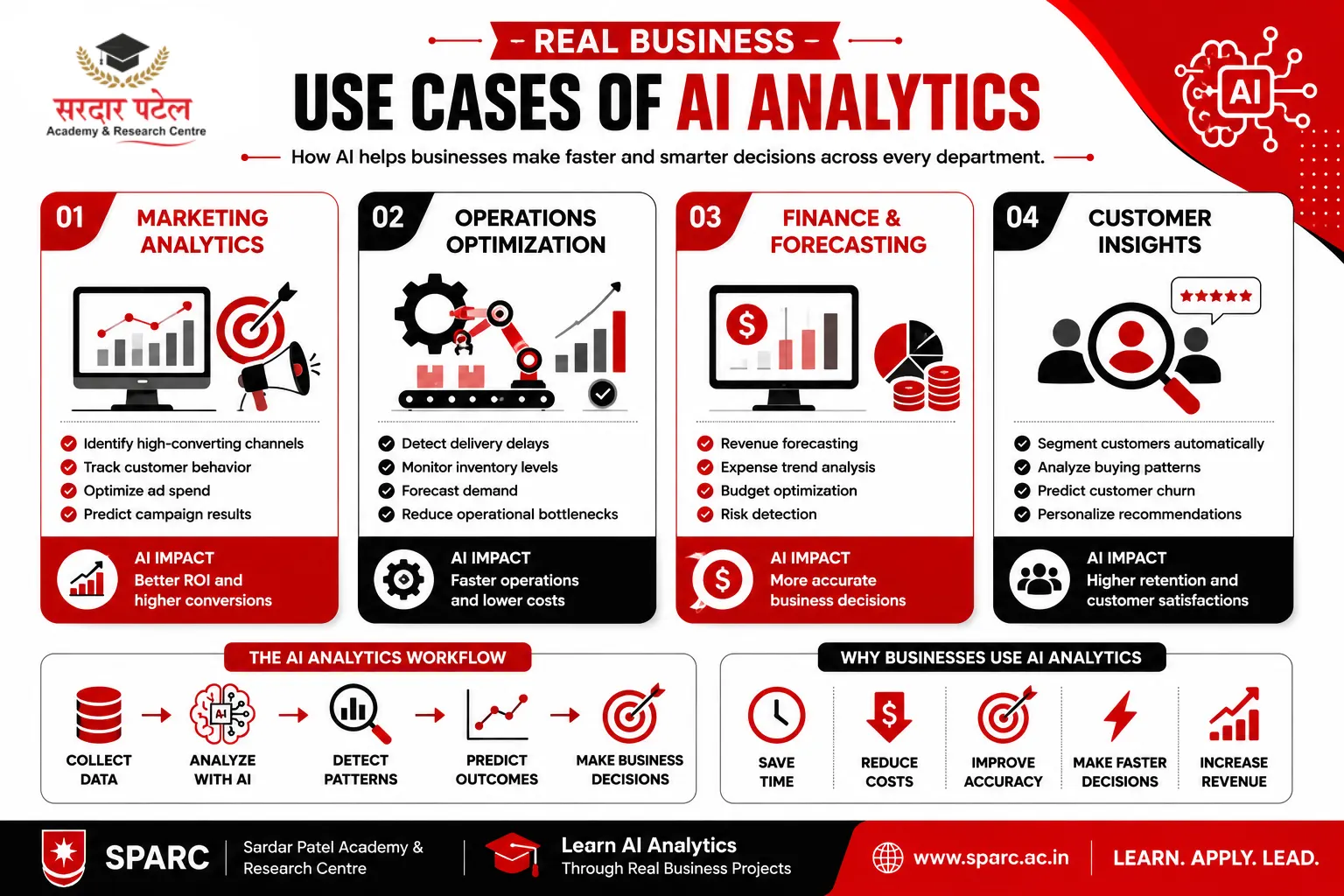
Here's where these tools commonly show up across industries:
- Marketing analytics: Using AI-suggested visuals to quickly spot underperforming campaigns.
- Operations optimisation: Letting AI flag unusual patterns in delivery times or inventory before they become bigger problems.
- Financial forecasting: Using AI-assisted Excel or Python tools to build quick revenue projections from historical trends.
- Customer insights: Using natural language queries in Power BI to explore customer segments without writing a formula.
Advantages of Using AI Tools in Data Analysis
- Faster turnaround on repetitive tasks like data cleaning and basic reporting
- Lower barrier to entry for beginners not yet confident writing code
- More time for analysts to interpret results rather than produce them
- Easier collaboration, since non-technical team members can explore data using plain language
Challenges and Limitations to Keep in Mind
- Accuracy isn't guaranteed: AI-generated queries or summaries can be wrong, especially with messy data.
- Over-dependence risk: Relying entirely on AI without understanding the logic makes it hard to catch mistakes.
- Data privacy concerns: Feeding sensitive data into external AI tools without proper checks creates real risks.
- Tool fatigue: With new AI features launching constantly, it's easy to spend more time exploring tools than analysing data.
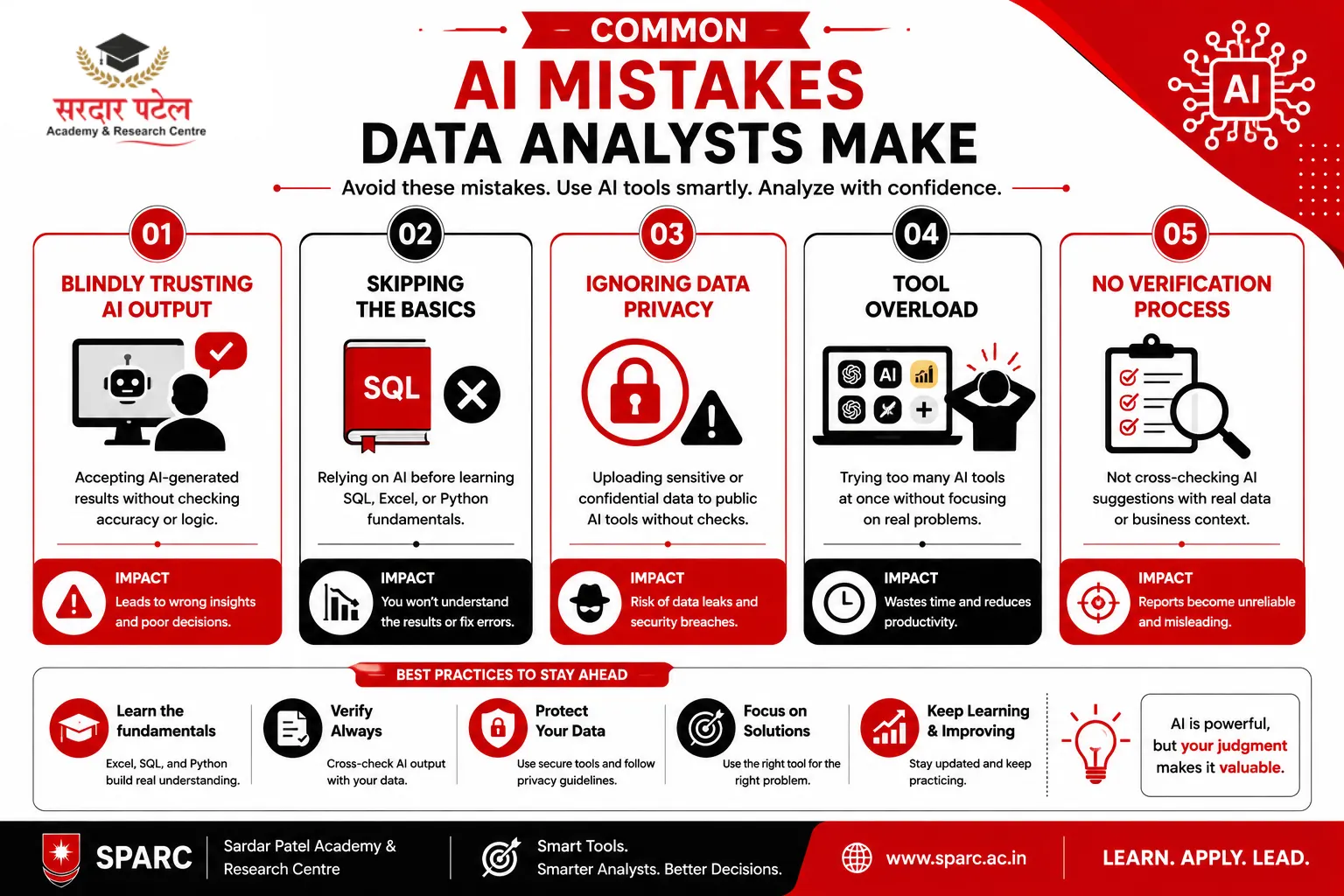
Common Mistakes to Avoid
- Trusting AI output without verification — always cross-check a generated query against the raw data.
- Skipping the fundamentals — leaning on AI before understanding basic SQL or Excel logic often backfires.
- Ignoring data privacy settings — check what happens to data shared with an AI tool before uploading anything sensitive.
- Choosing tools based on hype — pick tools based on the actual problem you're solving, not the newest feature.
Best Practices for Working with AI Tools
- Learn the fundamentals first (Excel, SQL, basic Python) so you can judge whether an AI suggestion makes sense.
- Use AI tools for first drafts of queries or reports, then apply your own judgment before sharing results.
- Keep sensitive data out of public AI tools unless your organization has approved secured usage.
- Stay updated regularly, since AI features in tools like Power BI and Excel change frequently.
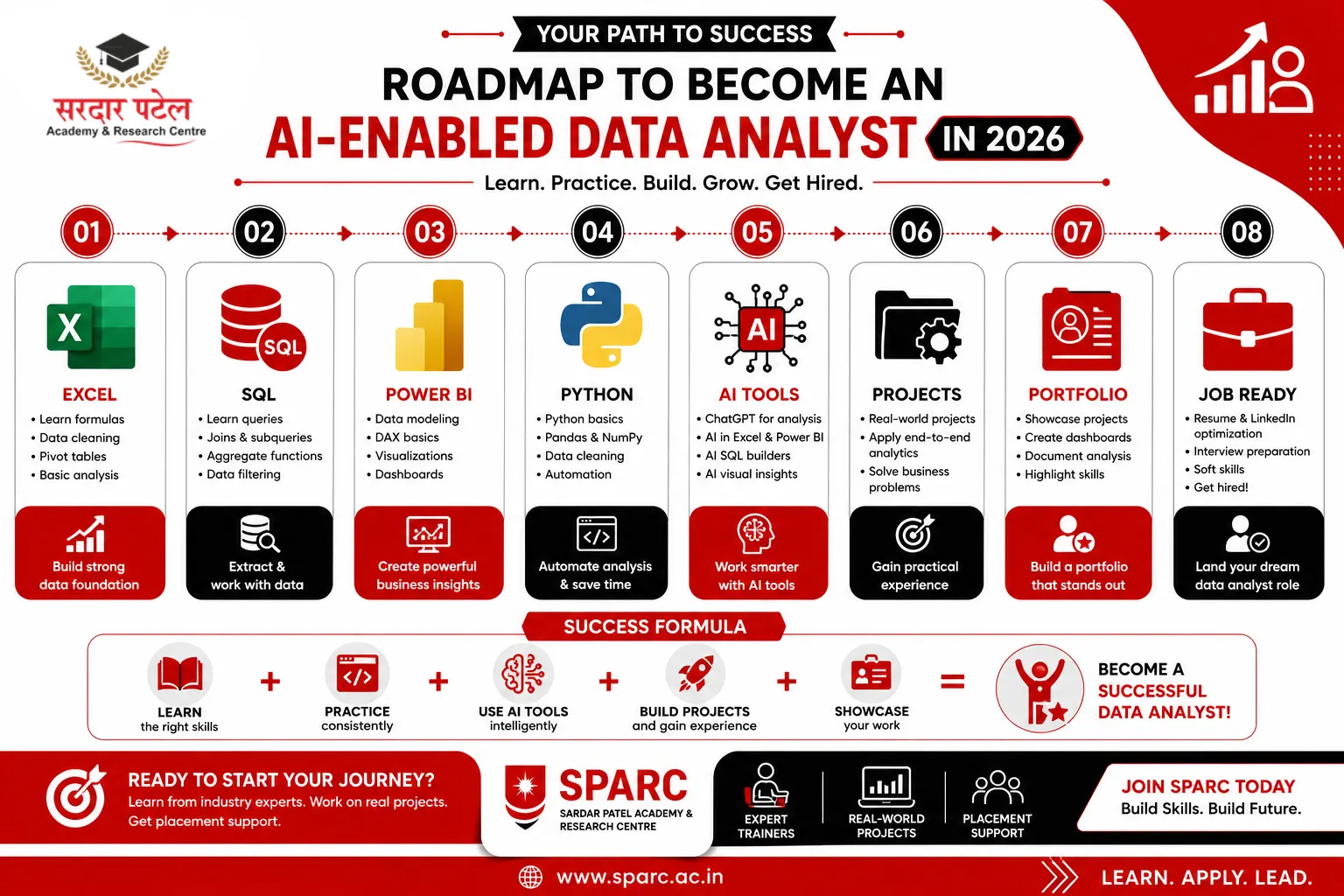
This is the balance that structured training tends to build well. Programs like SPARC (Sardar Patel Academy & Research Centre) teach the fundamentals of Excel, SQL, and Python, as well as how AI tools fit into real analyst work, rather than treating AI as a shortcut around the basics. This ties closely to the broader data analytics trends shaping 2026, since AI tool adoption is one of the biggest drivers of those shifts.
How to Start Using AI Tools as a Data Analyst
- Get comfortable with Excel and basic SQL before relying on AI shortcuts.
- Try one AI assistant for drafting queries, but always double-check the output.
- Explore Power BI's built-in Q&A and Key Influencers features on a small dataset.
- Learn basic Python and pair it with an AI coding assistant to speed up repetitive scripts.
For structured, guided learning instead of scattered tutorials, a career-focused course with real projects and placement support, like the one SPARC offers, can help you build this faster.
Conclusion
AI tools for data analysts aren't about replacing the thinking part of the job. They're about removing the repetitive parts so there's more time left for thinking. Excel's AI features, chat assistants, Power BI's built-in insights, Python paired with AI coding help, and AI-assisted SQL builders are all worth learning, but none replace understanding the basics underneath. Someone who knows how a query works will always catch a mistake faster than someone who only copied AI-generated code.
If you want to build these skills properly, with hands-on projects and guidance from people who've worked in the field, SPARC's data analytics training is built to do exactly that. Reach out to Sardar Patel Academy & Research Centre (SPARC) or explore the course details to start learning AI analytics tools the right way.
FAQs
Useful ones include Excel's AI-assisted analysis features, Power BI's Q&A and Key Influencers visuals, AI chat assistants for drafting queries and code, and AI-assisted SQL builders that turn plain questions into database queries.
It helps a lot. AI tools generate code or queries quickly, but knowing the basics of SQL, Excel, or Python lets you verify whether the suggestion is correct.
Yes, particularly for explaining code, drafting SQL queries, and summarizing findings in plain language. It works best as a starting point that still needs human review.
Starting with AI-assisted Excel features and a chat-based AI assistant is a practical entry point, followed by Power BI's built-in AI visuals as skills grow.
Yes. Power BI's Q&A feature and AI-assisted Excel functions are built for plain-language questions, making them accessible without coding experience.
A structured, project-based course, like the training SPARC offers, teaches the fundamentals alongside AI tool usage, so you understand both how and why each tool works.